
Bear
Shiny Frog
★ #17 in ProductivityProduct status: Status not recorded
No lifecycle review is recorded for this listing. Its inclusion in the directory does not confirm current availability; check the vendor before relying on it.
No status check date recorded
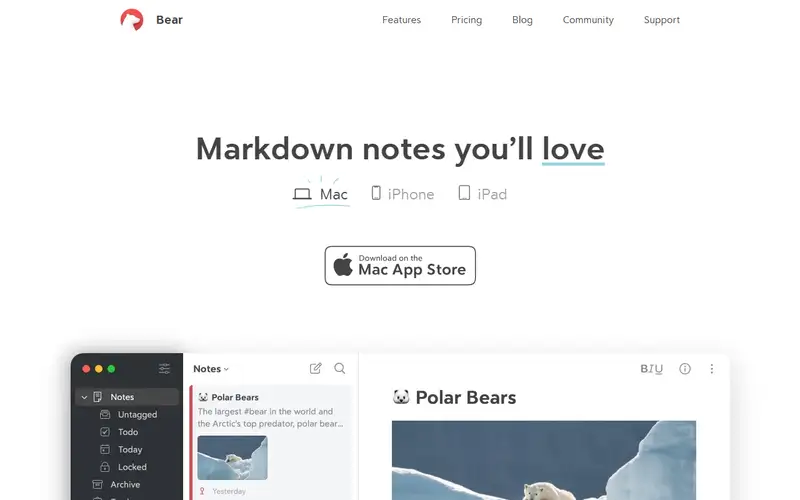
Markdown notes for Apple devices, with optional Mac CLI/MCP connections to external AI tools. No lifecycle review is recorded for this listing. Its inclusion in the directory does not confirm current availability; check the vendor before relying on it.
Product preview
Decision notes
Official-document research
Based on the cited documentation. We did not use the product, purchase a plan, or run quality, speed or reliability tests in this review.
Consider it for
- Apple users organizing personal writing
- People who want optional scoped note automation
Choose another approach if
- Teams needing a browser-based shared editor
- Anyone assuming external AI never receives note text
Pricing and conditions
Documented terms
Free local editing and basic exports; the US App Store shows Pro USD2.99/month or USD29.99/year. Website trial says 7 days, the store says 14; checkout eligibility controls. Subscription auto-renews; local tax, other regions, AI-provider costs and refund eligibility need checking.
Pricing source read:
Pricing or terms sourceCode, model and service licensing
The service and its original software remain proprietary. Your note exports are not a licence to Bear's code or third-party material. The optional Mac bridge reads the local database; encrypted notes cannot be read or modified through it. AI clients process returned notes under their own terms. Bear's linked privacy policy covers contact/usage information and does not establish an all-provider no-training or zero-retention guarantee.
Basis and limits of the recorded score
The existing 4.6 is retained. Its original scoring worksheet is unavailable; this documentation review supplies no hands-on, accuracy, speed or outcome score.
Overview
Bear organizes writing with Markdown, nested tags and note links on Mac, iPhone and iPad. Pro adds iCloud sync, image/PDF text search and additional export formats. Its Mac CLI, Claude Connector and MCP server can expose selected notes to external tools and can edit notes; this is an optional bridge rather than an included AI subscription.
Consider it for a personal Apple-device notebook. Configure tag scopes and review the connected provider before sending notes to AI. The bridge runs locally, but returned note text can reach that external client. This review did not test sync, search or AI editing.
Sources
The factual claims in this review were read from the pages below. Each date is when an editor last opened the source, not when the product changed.
- Vendor site Checked 2026-10-15
- Vendor pricing page Checked 2026-10-15
- Vendor documentation Checked 2026-10-15
- Vendor changelog Checked 2026-10-15
- Vendor documentation Checked 2026-10-15
- Vendor documentation Checked 2026-10-15
Pros / Cons
Pros
- Local note editing and portable export formats
- Tag-based scope controls for optional MCP
Cons
- Apple-device focus
- Pro is needed for sync, OCR and extra exports
Who it's for
Personal research notes
Linked Markdown writing
Controlled AI access to selected notes
Bottom line
A practical Apple notebook when its subscription and optional external-AI data flow fit your needs.
Key Features
Tags
Frequently asked questions
Is Bear currently available?
No lifecycle review is recorded for this listing. Its inclusion in the directory does not confirm current availability; check the vendor before relying on it.
What is Bear?
Bear is a Productivity tool developed by Shiny Frog. Markdown notes for Apple devices, with optional Mac CLI/MCP connections to external AI tools.
What costs and terms should I check for Bear?
Free local editing and basic exports; the US App Store shows Pro USD2.99/month or USD29.99/year. Website trial says 7 days, the store says 14; checkout eligibility controls. Subscription auto-renews; local tax, other regions, AI-provider costs and refund eligibility need checking.
Is Bear open source?
The service and its original software remain proprietary. Your note exports are not a licence to Bear's code or third-party material. The optional Mac bridge reads the local database; encrypted notes cannot be read or modified through it. AI clients process returned notes under their own terms. Bear's linked privacy policy covers contact/usage information and does not establish an all-provider no-training or zero-retention guarantee.
What are the best alternatives to Bear?
Notable Productivity alternatives include Notion AI, Grammarly, Canva AI. Browse all 159 tools in our Productivity category for a full overview.
Was this listing useful?
Basic Info
- Pricing
- Freemium
Free local editing and basic exports; the US App Store shows Pro USD2.99/month or USD29.99/year. Website trial says 7 days, the store says 14; checkout eligibility controls. Subscription auto-renews; local tax, other regions, AI-provider costs and refund eligibility need checking.
- Editorial score
- ★ 4.6 / 5 How we score
- Platforms
- macOSiOSiPadOS
- Last verified
- Not recorded