
Beautiful.ai
Beautiful.ai
★ #149 in ProductivityProduct status: Status not recorded
No lifecycle review is recorded for this listing. Its inclusion in the directory does not confirm current availability; check the vendor before relying on it.
No status check date recorded
An AI presentation maker that applies smart design rules automatically, keeping every slide on-brand as you generate decks from prompts. No lifecycle review is recorded for this listing. Its inclusion in the directory does not confirm current availability; check the vendor before relying on it.
Product preview
Overview
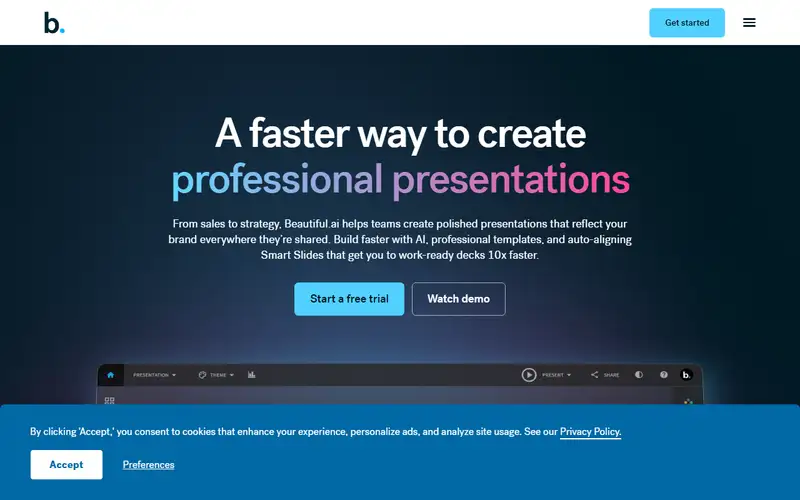
Beautiful.ai is a web presentation tool built around Smart Slides: instead of dropping text boxes onto a blank canvas and nudging them by hand, you add content and the layout engine re-sizes and re-positions shapes, charts and type so each slide stays balanced, which is also why a deck survives edits by several people without drifting apart. The company now leads with an AI generator that turns a text prompt or a pasted outline into a first-draft deck, plus brand controls and shared team libraries that lock logos, fonts, colors and house style. Numbers go in as live chart objects that redraw when the data changes rather than as flat pasted images. Plans start at $12 a month and a 14-day free trial gives full access to generate, edit layouts, restyle and share.
Read it as a set of guardrails rather than a shortcut: the same rules that keep a slide tidy also block the free placement PowerPoint or Keynote allow, so an art-directed designer will feel boxed in. That trade is the product. It fits sales, marketing and operations teams that must ship many on-brand decks fast and want the tool to prevent ugly slides more than they want total control, and it is a poor fit for one-off heavily designed pitch decks, deep offline editing, or advanced animation. The value only appears once shared libraries and enforced templates matter, so cost a rollout in seats before assuming the entry price is the company standard. AI output is a skeleton: you still own the copy and the facts.
Sources
The factual claims in this review were read from the pages below. Each date is when an editor last opened the source, not when the product changed.
- Vendor site Checked 2026-09-20
Pros / Cons
Pros
- Layouts auto-correct as content changes
- Prompt-to-deck generation
- Brand and team slide libraries
- Consistent output without design skills
Cons
- Less layout freedom than blank-canvas tools
- Offline editing is limited
- Advanced animations are basic
Who it's for
Sales and pitch decks at scale
Team-wide presentation consistency
Fast first drafts from prompts
Bottom line
Beautiful.ai trades pixel-level freedom for guaranteed coherence — the right trade for most business decks.
Key Features
Tags
Frequently asked questions
Is Beautiful.ai currently available?
No lifecycle review is recorded for this listing. Its inclusion in the directory does not confirm current availability; check the vendor before relying on it.
What is Beautiful.ai?
Beautiful.ai is a Productivity tool developed by Beautiful.ai. It was introduced in 2016, and its developer is headquartered in San Francisco, USA. An AI presentation maker that applies smart design rules automatically, keeping every slide on-brand as you generate decks from prompts.
Is Beautiful.ai free?
No — Beautiful.ai is a paid product. Check the official website for current plans and pricing.
Is Beautiful.ai open source?
No — Beautiful.ai is proprietary software.
What are the best alternatives to Beautiful.ai?
Notable Productivity alternatives include Notion AI, Grammarly, Canva AI. Browse all 159 tools in our Productivity category for a full overview.
Was this listing useful?
Basic Info
- Pricing
- Paid
- Editorial score
- ★ 4.2 / 5 How we score
- Platforms
- Web
- Launched
- 2016
- Headquarters
- San Francisco, USA
- Last verified
- Not recorded