CapCut
CapCut
★ #1 in Video GenerationProduct status: Status not recorded
No lifecycle review is recorded for this listing. Its inclusion in the directory does not confirm current availability; check the vendor before relying on it.
No status check date recorded
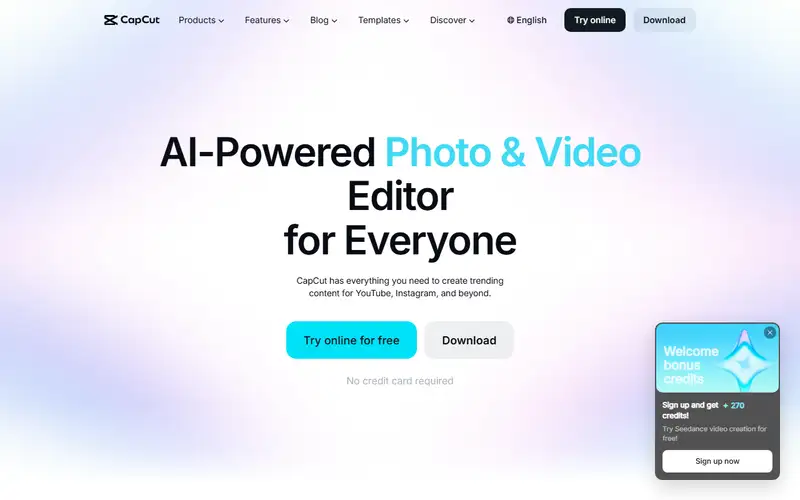
Video editing across desktop, mobile and web, with editable captions, templates and AI clip workflows. Feature access, credits and asset rights depend on the account, platform and region. No lifecycle review is recorded for this listing. Its inclusion in the directory does not confirm current availability; check the vendor before relying on it.
Product preview
Decision notes
Official-document research
Based on the cited documentation. We did not use the product, purchase a plan, or run quality, speed or reliability tests in this review.
Consider it for
- Creators able to review captions and highlights
- Teams with approved content-processing rules and licensed assets
Choose another approach if
- Confidential media without an approved processing agreement
- Assuming every free or Pro asset permits unrestricted commercial distribution
Pricing and conditions
Documented terms
The public reference page displayed Free USD 0; Pro USD 19.99/month or 179.99/year; Ultra USD 79/month or 900/year. Teams is per seat and varies with seat count. Paid plans include monthly AI-credit pools with paid top-ups; individual model rates and promotions differ. The page requires sign-in for final price, taxes and offers; it does not establish the checkout market. The Japanese-language path returned AUD rather than JPY, so old JPY amounts were removed. No currency conversion or final account quote was verified.
Pricing source read:
Pricing or terms sourceCode, model and service licensing
The global materials agreement distinguishes non-commercial assets from marked Dual Use assets, with term, territory and per-export conditions. Mixing non-commercial material limits the resulting content to non-commercial use. Its Commercial Sounds permission covers CapCut, TikTok and TikTok for Business; other platforms need separate rights. The agreement explicitly excludes US users in favor of separate US materials terms, which were not established here. US service terms call User Content non-confidential and grant a broad service-use license. Confirm local terms and every asset; subscribing is not blanket clearance.
Basis and limits of the recorded score
The existing 4.6 rating is retained; the original scoring evidence is not recorded. This source review does not re-score editing quality, caption accuracy, speed or value against competitors.
Overview
CapCut offers desktop, mobile and web editing, combining a timeline, captions, templates and AI-assisted workflows. Its caption tool lets users correct text and styling; the long-video tool proposes highlights, reframes landscape footage and leaves clips editable. Desktop documentation adds keyframes and color controls. These are documented workflow options, not evidence of faster publishing or better results than other editors.
Before committing a team, verify the production account's features, credits and output requirements. The read privacy policy permits collection of imported content through pre-uploading even if it is not saved or published, and describes machine-learning improvement uses. Regional terms differ: the retrieved service terms apply to US users, while the materials agreement explicitly directs US users to a separate license. A paid plan does not by itself clear every template, song, upload or generated asset for a campaign.
Sources
The factual claims in this review were read from the pages below. Each date is when an editor last opened the source, not when the product changed.
- Vendor pricing page Checked 2026-10-15
- Vendor pricing page Checked 2026-10-15
- Vendor site Checked 2026-10-15
- Vendor site Checked 2026-10-15
- Vendor site Checked 2026-10-15
- Vendor site Checked 2026-10-15
- Vendor documentation Checked 2026-10-15
- Vendor documentation Checked 2026-10-15
- Vendor documentation Checked 2026-10-15
Pros / Cons
Pros
- Captions can be corrected and styled
- Generated short clips remain editable
- Desktop, mobile and web options for different workflows
Cons
- AI credits and paid entitlements need account-level checks
- Cloud/content-processing rules need review for sensitive media
- Commercial material and music rights are conditional
Who it's for
Caption and reframe a reviewed social clip
Extract editable excerpts from a podcast
Prepare a template-based draft with cleared assets
Refine an AI clip on a desktop timeline
Bottom line
Consider it for editable captions and short-video workflows once the production account, privacy requirements and asset licenses are confirmed.
Key Features
Tags
Compare CapCut with alternatives
Frequently asked questions
Is CapCut currently available?
No lifecycle review is recorded for this listing. Its inclusion in the directory does not confirm current availability; check the vendor before relying on it.
What is CapCut?
CapCut is a Video Generation tool developed by CapCut. Video editing across desktop, mobile and web, with editable captions, templates and AI clip workflows. Feature access, credits and asset rights depend on the account, platform and region.
What costs and terms should I check for CapCut?
The public reference page displayed Free USD 0; Pro USD 19.99/month or 179.99/year; Ultra USD 79/month or 900/year. Teams is per seat and varies with seat count. Paid plans include monthly AI-credit pools with paid top-ups; individual model rates and promotions differ. The page requires sign-in for final price, taxes and offers; it does not establish the checkout market. The Japanese-language path returned AUD rather than JPY, so old JPY amounts were removed. No currency conversion or final account quote was verified.
Is CapCut open source?
The global materials agreement distinguishes non-commercial assets from marked Dual Use assets, with term, territory and per-export conditions. Mixing non-commercial material limits the resulting content to non-commercial use. Its Commercial Sounds permission covers CapCut, TikTok and TikTok for Business; other platforms need separate rights. The agreement explicitly excludes US users in favor of separate US materials terms, which were not established here. US service terms call User Content non-confidential and grant a broad service-use license. Confirm local terms and every asset; subscribing is not blanket clearance.
What are the best alternatives to CapCut?
Notable Video Generation alternatives include Runway, HeyGen, Pika. Browse all 58 tools in our Video Generation category for a full overview.
Was this listing useful?
Basic Info
- Pricing
- Freemium
The public reference page displayed Free USD 0; Pro USD 19.99/month or 179.99/year; Ultra USD 79/month or 900/year. Teams is per seat and varies with seat count. Paid plans include monthly AI-credit pools with paid top-ups; individual model rates and promotions differ. The page requires sign-in for final price, taxes and offers; it does not establish the checkout market. The Japanese-language path returned AUD rather than JPY, so old JPY amounts were removed. No currency conversion or final account quote was verified.
- Editorial score
- ★ 4.6 / 5 How we score
- Platforms
- WebDesktopMobile
- Last verified
- 2026-10-12