
Captions
Captions
★ #32 in Video GenerationProduct status: Status not recorded
No lifecycle review is recorded for this listing. Its inclusion in the directory does not confirm current availability; check the vendor before relying on it.
No status check date recorded
An AI video editor that turns raw footage into a finished cut, with prompt-driven editing, translated subtitles and digital avatars. No lifecycle review is recorded for this listing. Its inclusion in the directory does not confirm current availability; check the vendor before relying on it.
Product preview
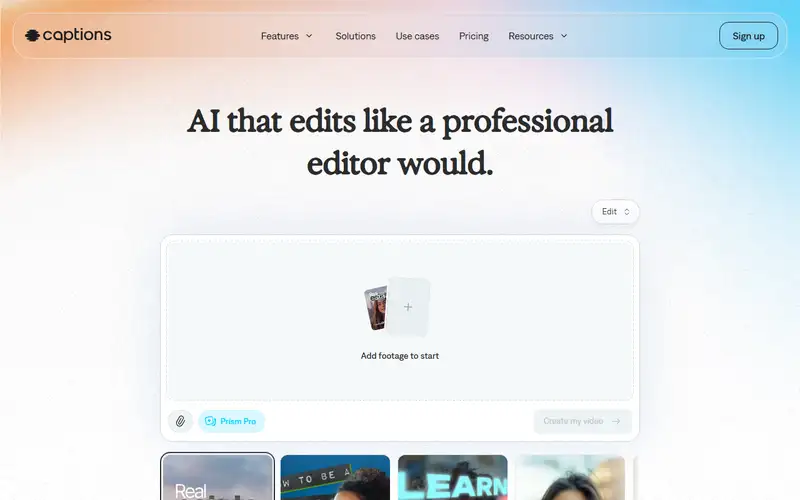
Overview
Captions aims at the part of video production that is not creative: the cutting, the captions, the B-roll, the cleanup. You give it footage, describe what you want in chat, and it produces an edit — cutting scenes, overlaying supporting shots, generating translated subtitles. It also generates digital avatars from a likeness, which is where the tool stops being a convenience and becomes a question about consent and disclosure.
The audience is explicitly the person with no editing experience, and the marketing says so: never edited before, simple prompts. That is a real market — most video is watched on a phone by people who will never open a timeline editor. The trade-off is the usual one with automated editing: you get a competent result quickly and give up frame-level control, and the taste in the cut is the model's rather than yours, which shows most when the footage is unusual.
Sources
The factual claims in this review were read from the pages below. Each date is when an editor last opened the source, not when the product changed.
- Vendor site Checked 2026-09-19
Pros / Cons
Pros
- Editing by description rather than by timeline
- Subtitles, translation and cleanup in the same pass
- Built for people with no editing background
Cons
- Little frame-level control compared with a conventional editor
- The editorial taste in the cut is the model's
- Avatar generation from a likeness raises consent and disclosure questions the tool does not answer for you
Who it's for
Turning raw footage into a shareable cut
Short-form social video at volume
Adding translated subtitles to existing video
Producing presenter video without filming
Bottom line
Automated editing for people who were never going to learn an editor — fast and competent, with the taste in the cut belonging to the model.
Key Features
Tags
Frequently asked questions
Is Captions currently available?
No lifecycle review is recorded for this listing. Its inclusion in the directory does not confirm current availability; check the vendor before relying on it.
What is Captions?
Captions is a Video Generation tool developed by Captions. It was introduced in 2021, and its developer is headquartered in Los Angeles, USA. An AI video editor that turns raw footage into a finished cut, with prompt-driven editing, translated subtitles and digital avatars.
Is Captions free?
Captions uses a freemium model: a free tier is available, and paid plans unlock more usage and advanced features.
Is Captions open source?
No — Captions is proprietary software.
What are the best alternatives to Captions?
Notable Video Generation alternatives include Runway, HeyGen, Pika. Browse all 58 tools in our Video Generation category for a full overview.
Was this listing useful?
Basic Info
- Pricing
- Freemium
- Editorial score
- ★ 4.3 / 5 How we score
- Platforms
- WebiOSAndroid
- Launched
- 2021
- Headquarters
- Los Angeles, USA
- Last verified
- Not recorded