
Coda AI
Product status: Status not recorded
No lifecycle review is recorded for this listing. Its inclusion in the directory does not confirm current availability; check the vendor before relying on it.
No status check date recorded
AI in the doc that is already an app: columns that write themselves, packs that talk — Notion Agent's more spreadsheet-doc cousin for teams whose wiki grew formulas. No lifecycle review is recorded for this listing. Its inclusion in the directory does not confirm current availability; check the vendor before relying on it.
Product preview
Overview
Coda AI is the assistant layer inside Coda's documents-as-apps, sold as a connected work assistant. The parts that matter are structural, not cosmetic: an AI column type that runs a prompt row after row over the table beside it, turning structured data into summaries, classifications and drafted text without an export loop; an AI chat that can answer from your docs and the connectors Coda ships — the page cites 600+ integrations; and an assistant that drafts text, tables and layouts in place. Pricing is the quiet selling point: per the vendor's page, Coda AI is included for Doc Makers rather than sold as a separate add-on, so the cost rides on the paid seats of the people who build docs, not on every reader.
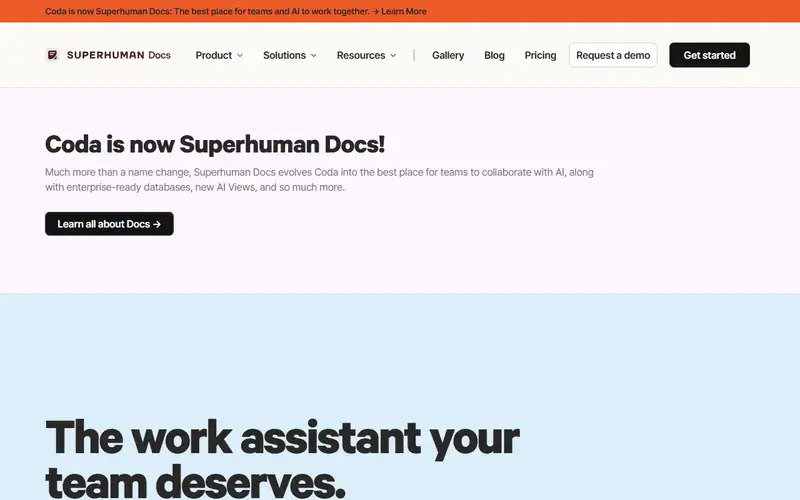
This matters most to teams already running wikis, trackers and light internal apps inside Coda: for them, AI-in-the-column compounds because the data is already shaped and models get structured inputs instead of a blank page. Skip it otherwise — without working docs you are buying a heavier Notion with a chatbot bolted on. Two things to watch. A column that invents a cell can quietly poison downstream trackers, so keep a human review or publish step on anything that leaves the doc. And the product now sits under the Superhuman umbrella — the AI page speaks of the doc experience as Superhuman Docs — so check what the roadmap does to naming and packaging before you standardize on the Coda name.
Sources
The factual claims in this review were read from the pages below. Each date is when an editor last opened the source, not when the product changed.
- Vendor site Checked 2026-09-20
Pros / Cons
Pros
- AI on the hybrid doc you already built
- Columns that extract in place
- Packs stay wired
- No ChatGPT export loop
Cons
- Will invent cells
- Paid on Coda seats
- Useless if the wiki is Notion
Who it's for
Filling an AI column from pasted briefs
Drafting a Coda page from a table
Keeping generation inside packs
Coda shops that refuse a Notion migration
Bottom line
AI in the doc-app — buy it if Coda is home, skip a Notion conversion.
Key Features
Tags
Frequently asked questions
Is Coda AI currently available?
No lifecycle review is recorded for this listing. Its inclusion in the directory does not confirm current availability; check the vendor before relying on it.
What is Coda AI?
Coda AI is a Productivity tool developed by Coda. It was introduced in 2023, and its developer is headquartered in San Francisco, USA. AI in the doc that is already an app: columns that write themselves, packs that talk — Notion Agent's more spreadsheet-doc cousin for teams whose wiki grew formulas.
Is Coda AI free?
No — Coda AI is a paid product. Check the official website for current plans and pricing.
Is Coda AI open source?
No — Coda AI is proprietary software.
What are the best alternatives to Coda AI?
Notable Productivity alternatives include Notion AI, Grammarly, Canva AI. Browse all 159 tools in our Productivity category for a full overview.
Was this listing useful?
Basic Info
- Pricing
- Paid
- Editorial score
- ★ 4.5 / 5 How we score
- Platforms
- Web
- Launched
- 2023
- Headquarters
- San Francisco, USA
- Last verified
- Not recorded