
Descript
Descript
★ #6 in Audio GenerationProduct status: Status not recorded
No lifecycle review is recorded for this listing. Its inclusion in the directory does not confirm current availability; check the vendor before relying on it.
No status check date recorded
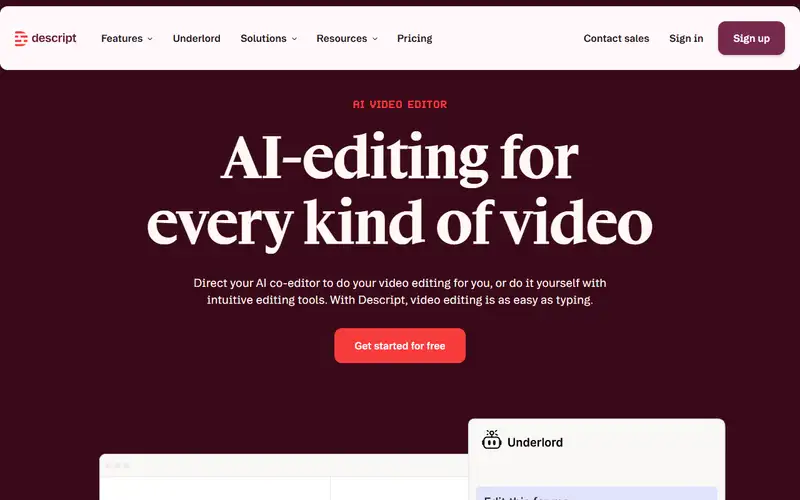
An audio and video editor that links cuts to transcript edits, with transcription, Studio Sound and authorized AI speech tools subject to plan limits. No lifecycle review is recorded for this listing. Its inclusion in the directory does not confirm current availability; check the vendor before relying on it.
Product preview
Decision notes
Official-document research
Based on the cited documentation. We did not use the product, purchase a plan, or run quality, speed or reliability tests in this review.
Consider it for
- Podcast and interview teams that prefer transcript-led cuts
- Teams able to track two usage meters and review AI edits
Choose another approach if
- Workflows requiring unlimited AI processing on the Free plan
- Unconsented voice cloning or publishing AI edits without review
Pricing and conditions
Documented terms
Read 2026-10-15: USD plan benchmarks per person are Hobbyist 24/month, Creator 35/month and Business 65/month on monthly billing; annual plans display monthly equivalents of 16, 24 and 50. These annual equivalents are not monthly payments. Hobbyist includes 10 media hours and 400 AI credits/month, Creator 30/800 and Business 40/1,500. Free lists 60 media minutes/month and 100 one-time AI credits. Hobbyist lists 1080p exports; Creator adds 4K and access to top-ups. Extra editors are billed separately; Enterprise is quoted. Payment documentation says checkout outside the US may offer USD or local currency, charged in the selected currency. Applicable taxes may be added; outside-US fees exclude taxes. Region, exchange fees, promotions and final checkout total were not tested.
Pricing source read:
Pricing or terms sourceCode, model and service licensing
Descript is a hosted/proprietary service, not a license to its underlying models. Users must hold input and third-party media rights. AI Speakers require a Consenting Speaker; uploading someone else's recording does not supply consent. The terms allow service processing and, unless opted out, training uses of generative inputs/outputs; voice training audio has additional provisions. Ownership of output to the extent legally protectable does not guarantee copyright, uniqueness or clearance. Review sharing, training and vendor access settings for the actual project.
Basis and limits of the recorded score
The existing 4.6 editorial score is retained. Its original scoring worksheet is not recorded; this documentation review does not re-score the product or establish editing speed, audio quality, reliability or superiority.
Overview
Descript edits audio and video through their transcript: deleting or moving words changes the corresponding media. The vendor documents a timeline for further edits, automatic transcription and captions, Studio Sound, Create Clips and the Underlord assistant. AI speech can create replacement audio, but a custom voice requires the speaker's permission. These are documented capabilities; this review did not edit a project or listen to generated speech.
It is worth considering for interview, podcast and spoken-video teams that want transcript-led editing and clip preparation in one workspace. Choose a plan using both media hours and AI credits, then check export resolution and paid editor seats. Verify transcript edits against the original recording and review synthetic replacements before publication. The documentation does not establish faster production, better sound or greater precision than another editor.
Sources
The factual claims in this review were read from the pages below. Each date is when an editor last opened the source, not when the product changed.
- Vendor site Checked 2026-10-15
- Vendor pricing page Checked 2026-10-15
- Vendor documentation Checked 2026-10-15
- Vendor documentation Checked 2026-10-15
- Vendor documentation Checked 2026-10-15
- Vendor documentation Checked 2026-10-15
Pros / Cons
Pros
- Transcript-linked cuts and a timeline in one editor
- Transcription, captions, audio processing and clips in one workflow
- Free plan for evaluating the workflow within its limits
Cons
- Media hours and AI credits are separate limits
- Export resolution, top-ups and editor seats vary by tier
- Transcript and synthetic speech edits still need human review
Who it's for
Editing authorized interview and podcast recordings
Preparing captions and short excerpts from spoken videos
Creating consented voice corrections with an approval step
Bottom line
Consider Descript when transcript-led editing fits your production process. Budget media time and AI credits separately, and check export, voice permissions and review requirements before choosing a tier.
Key Features
Tags
Compare Descript with alternatives
Frequently asked questions
Is Descript currently available?
No lifecycle review is recorded for this listing. Its inclusion in the directory does not confirm current availability; check the vendor before relying on it.
What is Descript?
Descript is a Audio Generation tool developed by Descript. An audio and video editor that links cuts to transcript edits, with transcription, Studio Sound and authorized AI speech tools subject to plan limits.
What costs and terms should I check for Descript?
Read 2026-10-15: USD plan benchmarks per person are Hobbyist 24/month, Creator 35/month and Business 65/month on monthly billing; annual plans display monthly equivalents of 16, 24 and 50. These annual equivalents are not monthly payments. Hobbyist includes 10 media hours and 400 AI credits/month, Creator 30/800 and Business 40/1,500. Free lists 60 media minutes/month and 100 one-time AI credits. Hobbyist lists 1080p exports; Creator adds 4K and access to top-ups. Extra editors are billed separately; Enterprise is quoted. Payment documentation says checkout outside the US may offer USD or local currency, charged in the selected currency. Applicable taxes may be added; outside-US fees exclude taxes. Region, exchange fees, promotions and final checkout total were not tested.
Is Descript open source?
Descript is a hosted/proprietary service, not a license to its underlying models. Users must hold input and third-party media rights. AI Speakers require a Consenting Speaker; uploading someone else's recording does not supply consent. The terms allow service processing and, unless opted out, training uses of generative inputs/outputs; voice training audio has additional provisions. Ownership of output to the extent legally protectable does not guarantee copyright, uniqueness or clearance. Review sharing, training and vendor access settings for the actual project.
What are the best alternatives to Descript?
Notable Audio Generation alternatives include ElevenLabs, Suno, Udio. Browse all 51 tools in our Audio Generation category for a full overview.
Was this listing useful?
Basic Info
- Pricing
- Freemium
Read 2026-10-15: USD plan benchmarks per person are Hobbyist 24/month, Creator 35/month and Business 65/month on monthly billing; annual plans display monthly equivalents of 16, 24 and 50. These annual equivalents are not monthly payments. Hobbyist includes 10 media hours and 400 AI credits/month, Creator 30/800 and Business 40/1,500. Free lists 60 media minutes/month and 100 one-time AI credits. Hobbyist lists 1080p exports; Creator adds 4K and access to top-ups. Extra editors are billed separately; Enterprise is quoted. Payment documentation says checkout outside the US may offer USD or local currency, charged in the selected currency. Applicable taxes may be added; outside-US fees exclude taxes. Region, exchange fees, promotions and final checkout total were not tested.
- Editorial score
- ★ 4.6 / 5 How we score
- Platforms
- WebmacOSWindows
- Last verified
- Not recorded