
HyperWrite
OthersideAI
★ #138 in ProductivityProduct status: Status not recorded
No lifecycle review is recorded for this listing. Its inclusion in the directory does not confirm current availability; check the vendor before relying on it.
No status check date recorded
Writing assistant plus agents: drafts, rewrites, and web-reading helpers in one extension. No lifecycle review is recorded for this listing. Its inclusion in the directory does not confirm current availability; check the vendor before relying on it.
Product preview
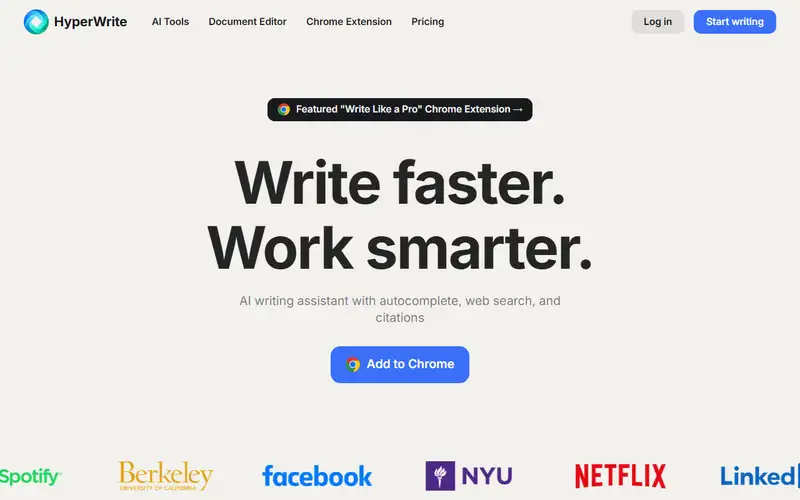
Overview
HyperWrite is a browser-first AI writing assistant from OthersideAI, described on the site as an assistant with autocomplete, web search and citations. The mechanics: while you type into Google Docs, email clients, social platforms and similar editors, it offers personalized, context-aware sentence completions — it continues your paragraph rather than making you prompt one; AutoWrite carries that drafting into long-form documents; and Scholar mode answers from live web search with cited sources instead of model memory, with additional agent-like helpers that read pages as you work. The headline number on the site is Premium at $19.99 per month, with a free tier and a trial as the doorway.
Suited to people who write every day inside the browser — email, docs, LinkedIn, forms — and want help without leaving the tab or learning prompt engineering; less suited to writers who want a controlled drafting environment, where a chat tool with a deliberate plan is cleaner. Two cautions. Personalization and citation are exactly the features hardest to honestly demonstrate, so test them on your own writing before paying for the year; and web-reading agents still get things confidently wrong, so verify anything load-bearing before you ship it. If what you need is brand-consistent marketing copy at scale, dedicated suites play heavier. HyperWrite's bet is living next to your cursor — depending on how you write, that is either its entire value or its ceiling.
Sources
The factual claims in this review were read from the pages below. Each date is when an editor last opened the source, not when the product changed.
- Vendor site Checked 2026-09-20
Pros / Cons
Pros
- Research and writing in one pane
- Scholar mode cites sources
- Agents browse while you write
- Free tier for daily drafting
Cons
- Output polish trails the giants
- Agent limits on lower tiers
- Brand smaller than Jasper or Grammarly
Who it's for
Drafting with live citations
Student and academic writing
Research-backed blog posts
Inbox triage with agents
Bottom line
The pen that reads — HyperWrite for research-backed drafts, Jasper for the copy machine.
Key Features
Tags
Frequently asked questions
Is HyperWrite currently available?
No lifecycle review is recorded for this listing. Its inclusion in the directory does not confirm current availability; check the vendor before relying on it.
What is HyperWrite?
HyperWrite is a Productivity tool developed by OthersideAI. It was introduced in 2020, and its developer is headquartered in San Francisco, USA. Writing assistant plus agents: drafts, rewrites, and web-reading helpers in one extension.
Is HyperWrite free?
HyperWrite uses a freemium model: a free tier is available, and paid plans unlock more usage and advanced features.
Is HyperWrite open source?
No — HyperWrite is proprietary software.
What are the best alternatives to HyperWrite?
Notable Productivity alternatives include Notion AI, Grammarly, Canva AI. Browse all 159 tools in our Productivity category for a full overview.
Was this listing useful?
Basic Info
- Pricing
- Freemium
- Editorial score
- ★ 4.3 / 5 How we score
- Platforms
- WebChromeAPI
- Launched
- 2020
- Headquarters
- San Francisco, USA
- Last verified
- Not recorded