
Kapwing
Kapwing
★ #21 in Video GenerationProduct status: Status not recorded
No lifecycle review is recorded for this listing. Its inclusion in the directory does not confirm current availability; check the vendor before relying on it.
No status check date recorded
Kapwing is a browser video workspace with prompt-assisted editing, short-clip repurposing, captions and shared project tools. No lifecycle review is recorded for this listing. Its inclusion in the directory does not confirm current availability; check the vendor before relying on it.
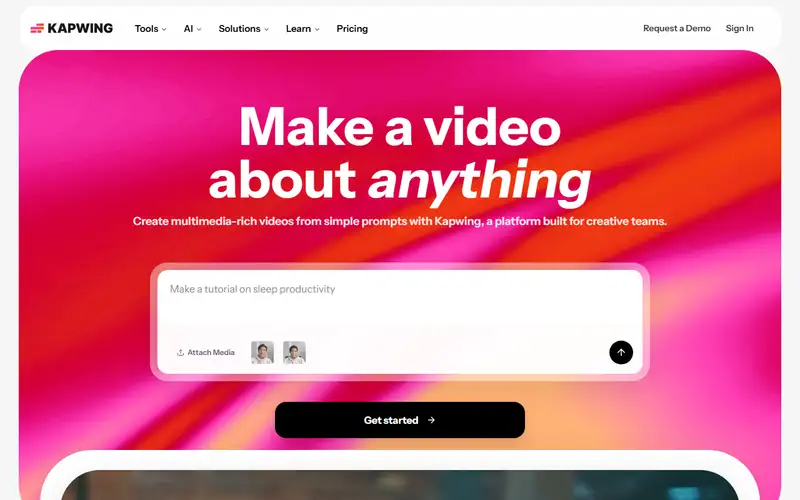
Product preview
Decision notes
Official-document research
Based on the cited documentation. We did not use the product, purchase a plan, or run quality, speed or reliability tests in this review.
Consider it for
- Teams editing and repurposing existing recordings
- Creators needing captions and shared review
Choose another approach if
- Projects requiring unrestricted free 4K exports
- Sensitive uploads requiring default private or zero-retention processing
Pricing and conditions
Documented terms
Per member: Pro $24 monthly or $16/month equivalent billed $192/year; Business $64 monthly or $50/month billed $600/year; Enterprise quote. Base-plan currency code and tax treatment were not visible in the read bodies; confirm regional checkout. Free has 10 lifetime credits, 720p/4-minute watermarked exports and a table limit of 30 export minutes/month. Pro/Business share 1,000/4,000 monthly credits across tools: transcription 1/min, Repurpose 2/min, dubbing 10/30 seconds; generated video varies by model. Business can buy 500 credits for USD50, expiring at monthly refresh. Paid exports up to 4K/120 minutes do not remove AI-credit or storage limits.
Pricing source read:
Pricing or terms sourceCode, model and service licensing
You retain content rights while granting Kapwing a non-exclusive processing/publishing license and promotional use; you must hold third-party media and real-person consent rights. AI scenes and provider-specific policies remain restricted. Limited open-source components do not license the hosted platform or model weights. Kapwing says it does not train on customer data, but its subprocessor FAQ seeks restrictions 'where available' and Enterprise review; confirm the actual model contract. Stored projects, legal exceptions and unlisted sharing mean this is not zero-retention or default-private processing.
Basis and limits of the recorded score
Original 4.4 retained; no original scoring worksheet was available. This docs-only update does not re-score export quality, speed or usability.
Overview
Kapwing combines browser video editing and collaborative projects with AI-assisted workflows. Autocut uses prompts, transcript analysis and speech detection to assemble drafts from uploads; Repurpose Studio identifies sections and creates topic-led clips from longer recordings. Captions, translation and dubbing draw on a shared credit pool, so headline maximum minutes cannot all be used independently. Export resolution, duration, storage and privacy vary by plan. Review the selected moments, transcript and media rights before publishing. This entry is based on official documents, without operating the editor or measuring editing quality or speed.
Sources
The factual claims in this review were read from the pages below. Each date is when an editor last opened the source, not when the product changed.
- Vendor site Checked 2026-10-15
- Vendor site Checked 2026-10-15
- Vendor pricing page Checked 2026-10-15
- Vendor pricing page Checked 2026-10-15
- Vendor documentation Checked 2026-10-15
- Vendor documentation Checked 2026-10-15
- Vendor documentation Checked 2026-10-15
- Vendor documentation Checked 2026-10-15
Pros / Cons
Pros
- Prompt-led drafts remain editable
- Editing and collaboration share one workspace
Cons
- Paid workspaces charge each member
- AI tools share credits with model-specific costs
- Unlisted links require deliberate privacy settings
Who it's for
Repurposing interviews and webinars
Captioned social clips
Collaborative instructional-video drafts
Bottom line
Consider Kapwing for a shared browser editing workflow; budget seats and the combined AI pool, and review rights and privacy before publishing.
Key Features
Tags
Frequently asked questions
Is Kapwing currently available?
No lifecycle review is recorded for this listing. Its inclusion in the directory does not confirm current availability; check the vendor before relying on it.
What is Kapwing?
Kapwing is a Video Generation tool developed by Kapwing. Kapwing is a browser video workspace with prompt-assisted editing, short-clip repurposing, captions and shared project tools.
What costs and terms should I check for Kapwing?
Per member: Pro $24 monthly or $16/month equivalent billed $192/year; Business $64 monthly or $50/month billed $600/year; Enterprise quote. Base-plan currency code and tax treatment were not visible in the read bodies; confirm regional checkout. Free has 10 lifetime credits, 720p/4-minute watermarked exports and a table limit of 30 export minutes/month. Pro/Business share 1,000/4,000 monthly credits across tools: transcription 1/min, Repurpose 2/min, dubbing 10/30 seconds; generated video varies by model. Business can buy 500 credits for USD50, expiring at monthly refresh. Paid exports up to 4K/120 minutes do not remove AI-credit or storage limits.
Is Kapwing open source?
You retain content rights while granting Kapwing a non-exclusive processing/publishing license and promotional use; you must hold third-party media and real-person consent rights. AI scenes and provider-specific policies remain restricted. Limited open-source components do not license the hosted platform or model weights. Kapwing says it does not train on customer data, but its subprocessor FAQ seeks restrictions 'where available' and Enterprise review; confirm the actual model contract. Stored projects, legal exceptions and unlisted sharing mean this is not zero-retention or default-private processing.
What are the best alternatives to Kapwing?
Notable Video Generation alternatives include Runway, HeyGen, Pika. Browse all 58 tools in our Video Generation category for a full overview.
Was this listing useful?
Basic Info
- Pricing
- Freemium
Per member: Pro $24 monthly or $16/month equivalent billed $192/year; Business $64 monthly or $50/month billed $600/year; Enterprise quote. Base-plan currency code and tax treatment were not visible in the read bodies; confirm regional checkout. Free has 10 lifetime credits, 720p/4-minute watermarked exports and a table limit of 30 export minutes/month. Pro/Business share 1,000/4,000 monthly credits across tools: transcription 1/min, Repurpose 2/min, dubbing 10/30 seconds; generated video varies by model. Business can buy 500 credits for USD50, expiring at monthly refresh. Paid exports up to 4K/120 minutes do not remove AI-credit or storage limits.
- Editorial score
- ★ 4.4 / 5 How we score
- Platforms
- Web
- Last verified
- Not recorded