LeechBlock
Product status: Status not recorded
No lifecycle review is recorded for this listing. Its inclusion in the directory does not confirm current availability; check the vendor before relying on it.
No status check date recorded
A free browser extension for scheduled website blocking, time allowances and lockdowns. Its documented controls use rules rather than verified AI features. No lifecycle review is recorded for this listing. Its inclusion in the directory does not confirm current availability; check the vendor before relying on it.
Product preview
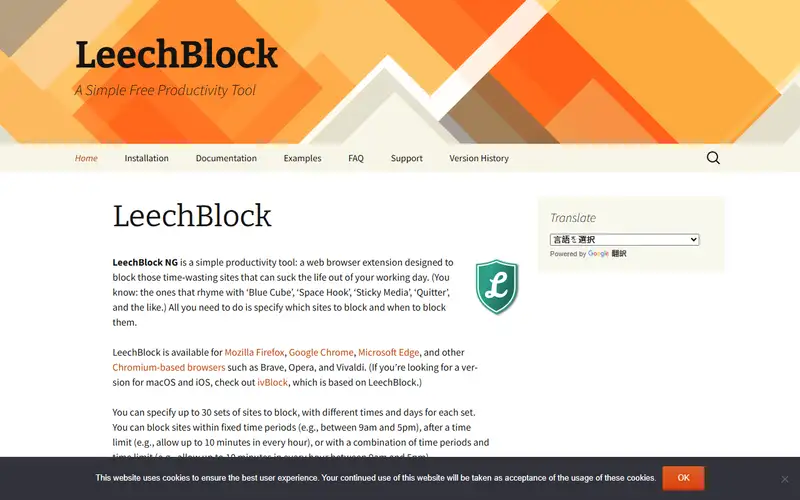
Decision notes
Official-document research
Based on the cited documentation. We did not use the product, purchase a plan, or run quality, speed or reliability tests in this review.
Consider it for
- People who want voluntary browser-level time rules
Choose another approach if
- AI coaching or system-wide app blocking
- Parental controls, a firewall or clinical treatment
Pricing and conditions
Documented terms
Officially presented as free software, with no paid seat, AI/API quota or subscription price documented here. Browser/device, optional sync and separately developed alternatives are outside that offer. There is no purchase amount to map to currency, tax or billing period; this is not a promise of paid support, unlimited browser compatibility or a hosted AI service.
Pricing source read:
Pricing or terms sourceCode, model and service licensing
The inspected Firefox source is MPL-2.0: commercial use is allowed, while distribution of covered files/modifications carries source-availability and notice duties. The Chrome repository also identifies MPL-2.0, but its full raw licence fetch failed; no brand, browser or website-content rights are implied. Historical privacy FAQ and the updated permissions page say settings/data stay local unless sync storage is chosen, and optional content checks read pages. These are vendor statements, not a runtime traffic audit; browser/store/sync processing remains separate. No model or generated-output licence was established because no AI feature was verified.
Basis and limits of the recorded score
Original 4.6/5 retained; the original scoring worksheet and hands-on evidence are unavailable. This documentation review did not re-score the product.
Overview
LeechBlock NG applies user-defined browser rules to distracting sites. Sets can combine schedules, time allowances, URL patterns, exceptions and temporary lockdowns. Firefox and Chromium-based editions have separate repositories; no AI model or assistant capability was established in the official material read.
This is a self-management aid. The author says it is not designed for parental control or offensive-content filtering and notes a blocked site may still receive a brief browser connection. Passwords slow access to options; they do not establish tamper resistance or network isolation.
Sources
The factual claims in this review were read from the pages below. Each date is when an editor last opened the source, not when the product changed.
- Vendor site Checked 2026-10-15
- Vendor documentation Checked 2026-10-15
- Vendor documentation Checked 2026-10-15
- Vendor documentation Checked 2026-10-15
- Vendor documentation Checked 2026-10-15
- Vendor documentation Checked 2026-10-15
- Vendor documentation Checked 2026-10-15
Pros / Cons
Pros
- Flexible rule combinations
- Free software with inspectable source
Cons
- Requires browser permissions and correct configuration
- Can be circumvented; not a security boundary
Who it's for
Voluntary limits on distracting sites
Scheduled browsing breaks
Bottom line
Choose it for rule-based browser focus, with realistic expectations about bypasses and permissions.
Key Features
Tags
Frequently asked questions
Is LeechBlock currently available?
No lifecycle review is recorded for this listing. Its inclusion in the directory does not confirm current availability; check the vendor before relying on it.
What is LeechBlock?
LeechBlock is a Productivity tool developed by James Anderson. A free browser extension for scheduled website blocking, time allowances and lockdowns. Its documented controls use rules rather than verified AI features.
What costs and terms should I check for LeechBlock?
Officially presented as free software, with no paid seat, AI/API quota or subscription price documented here. Browser/device, optional sync and separately developed alternatives are outside that offer. There is no purchase amount to map to currency, tax or billing period; this is not a promise of paid support, unlimited browser compatibility or a hosted AI service.
Is LeechBlock open source?
The inspected Firefox source is MPL-2.0: commercial use is allowed, while distribution of covered files/modifications carries source-availability and notice duties. The Chrome repository also identifies MPL-2.0, but its full raw licence fetch failed; no brand, browser or website-content rights are implied. Historical privacy FAQ and the updated permissions page say settings/data stay local unless sync storage is chosen, and optional content checks read pages. These are vendor statements, not a runtime traffic audit; browser/store/sync processing remains separate. No model or generated-output licence was established because no AI feature was verified.
What are the best alternatives to LeechBlock?
Notable Productivity alternatives include Notion AI, Grammarly, Canva AI. Browse all 159 tools in our Productivity category for a full overview.
Was this listing useful?
Basic Info
- Pricing
- Free
Officially presented as free software, with no paid seat, AI/API quota or subscription price documented here. Browser/device, optional sync and separately developed alternatives are outside that offer. There is no purchase amount to map to currency, tax or billing period; this is not a promise of paid support, unlimited browser compatibility or a hosted AI service.
- Editorial score
- ★ 4.6 / 5 How we score
- Platforms
- FirefoxChromeEdge
- Last verified
- Not recorded