
Microsoft Designer
Microsoft
★ #118 in ProductivityProduct status: Status not recorded
No lifecycle review is recorded for this listing. Its inclusion in the directory does not confirm current availability; check the vendor before relying on it.
No status check date recorded
Copilot for layouts: prompt a social post or a slide and get Designer files that live next to 365 — Canva's Microsoft-tenant cousin, with DALL·E in the box. No lifecycle review is recorded for this listing. Its inclusion in the directory does not confirm current availability; check the vendor before relying on it.
Product preview
Overview
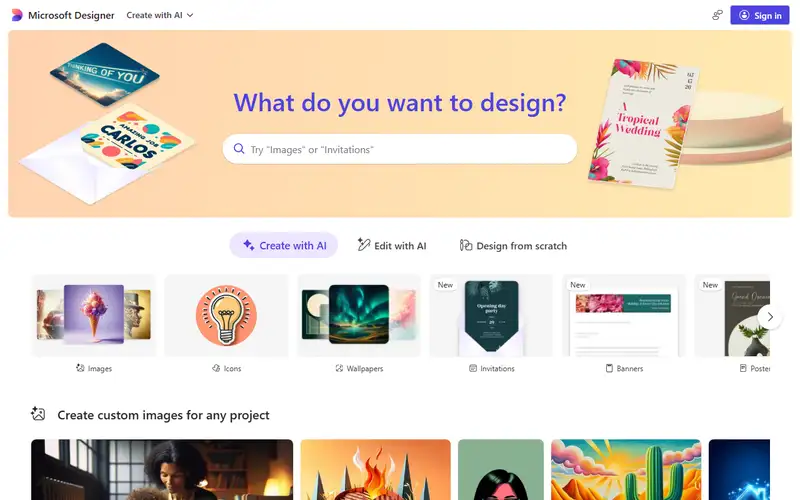
Designer is Canva that already has your Microsoft 365 Personal or Family login: prompt a post, get layouts, generate an image, drop it into the 365 gravity well. Firefly lives in Adobe; Canva is the independent; Designer is the Microsoft one.
Taste trails Canva's community templates. Image quality is whatever DALL·E is this quarter. If you already pay for M365 Personal or Family, this is the layout tool that will not start a new SaaS review. If you are a company, Canva still wins: enterprise accounts are not supported yet, and Designer is licensed for personal, non-commercial use.
Sources
The factual claims in this review were read from the pages below. Each date is when an editor last opened the source, not when the product changed.
- Vendor documentation Checked 2026-10-12
- Vendor documentation Checked 2026-10-12
Pros / Cons
Pros
- Layouts inside the Microsoft login you already have
- DALL·E without a second image tab
- Copilot-shaped prompting
- Runs on the Microsoft 365 Personal or Family plan you already pay for
Cons
- Template taste trails Canva
- Image quality is DALL·E's, not Firefly's
- No enterprise or team accounts yet
Who it's for
Prompting a social post inside 365
Slide-ish layouts without PowerPoint labor
DALL·E images that stay in Microsoft
Canva alternative for personal Microsoft 365
Bottom line
Canva inside a personal Microsoft 365 — enterprises are not supported yet, so Canva keeps that ground.
Key Features
Tags
Frequently asked questions
Is Microsoft Designer currently available?
No lifecycle review is recorded for this listing. Its inclusion in the directory does not confirm current availability; check the vendor before relying on it.
What is Microsoft Designer?
Microsoft Designer is a Productivity tool developed by Microsoft. It was introduced in 2022, and its developer is headquartered in Redmond, USA. Copilot for layouts: prompt a social post or a slide and get Designer files that live next to 365 — Canva's Microsoft-tenant cousin, with DALL·E in the box.
Is Microsoft Designer free?
Microsoft Designer uses a freemium model: a free tier is available, and paid plans unlock more usage and advanced features.
Is Microsoft Designer open source?
No — Microsoft Designer is proprietary software.
What are the best alternatives to Microsoft Designer?
Notable Productivity alternatives include Notion AI, Grammarly, Canva AI. Browse all 159 tools in our Productivity category for a full overview.
Was this listing useful?
Basic Info
- Pricing
- Freemium
- Editorial score
- ★ 4.4 / 5 How we score
- Platforms
- WebWindows
- Launched
- 2022
- Headquarters
- Redmond, USA
- Last verified
- Not recorded