
Microsoft Loop
Microsoft
★ #152 in ProductivityProduct status: Status not recorded
No lifecycle review is recorded for this listing. Its inclusion in the directory does not confirm current availability; check the vendor before relying on it.
No status check date recorded
Portable Notion-ish components in the Microsoft tenant: Loop pages, Copilot, and blocks that travel through Teams — Notion's more 365-native cousin that still feels unfinished. No lifecycle review is recorded for this listing. Its inclusion in the directory does not confirm current availability; check the vendor before relying on it.
Product preview
Overview
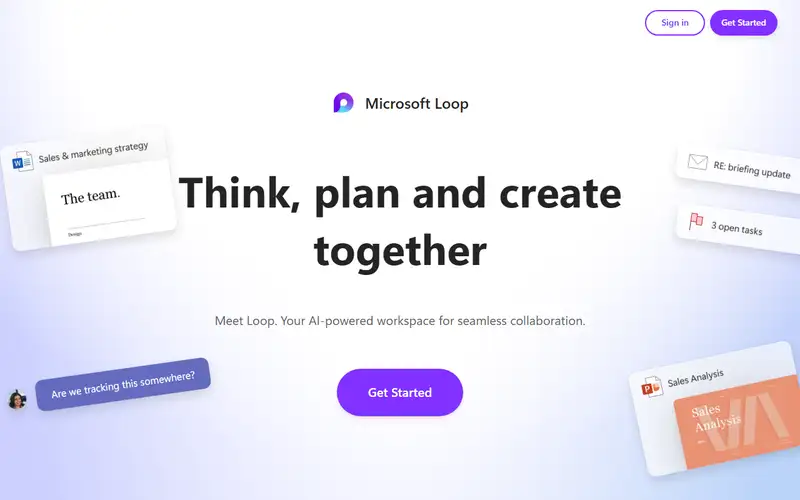
Microsoft Loop is the portable-content layer of Microsoft 365: pages, workspaces and components, where a component is a list, table or task board that stays synchronized wherever it is pasted - into Teams, Outlook, Word or Whiteboard. Pages and workspaces live in the Loop app at loop.microsoft.com, and everything is stored in OneDrive, SharePoint or SharePoint Embedded, so tenant permissions, retention and quota apply from the first workspace. The AI story has shifted: Microsoft's own comparison page rates Loop's AI integration 'Medium - supports Copilot in some contexts, but not deeply integrated', reserving High for Copilot Pages and Very high for Copilot Notebooks.
Treat Loop as infrastructure you already own, not a Notion substitute. Cost is the trap: Loop rides on the Microsoft 365 subscription you pay for, but the surfaces that make it feel current need more - Copilot Pages require a OneDrive license and a provisioned OneDrive site, Notebooks require Microsoft Copilot or Copilot Chat, and @mentions require an Exchange Online mailbox, so on-premises-only tenants get the degraded copy. Real-time editing also needs WebSocket traffic to *.svc.ms and *.office.com allowed, and admins can disable Loop components. What it is bad at: big structured databases, offline work, and being a destination - once Teams is your workspace, the Loop app has little reason to open. Keep the wiki where it is and use Loop for the live artifact inside the thread you already have.
Sources
The factual claims in this review were read from the pages below. Each date is when an editor last opened the source, not when the product changed.
- Vendor site Checked 2026-09-20
- Vendor site Checked 2026-09-20
- Vendor documentation Checked 2026-09-20
- Vendor documentation Checked 2026-09-20
Pros / Cons
Pros
- Notion-shaped without a new vendor
- Components travel through Teams
- Copilot on 365 identity
- IT-allowed
Cons
- Still feels unfinished
- Do not migrate the wiki yet
- Not Notion if you already live there
Who it's for
A Loop table in a Teams thread
Copilot on a 365 page
IT-allowed Notion-shaped notes
Portable components instead of a wiki migration
Bottom line
Portable Notion in 365 — use the component, do not migrate the company wiki yet.
Key Features
Tags
Frequently asked questions
Is Microsoft Loop currently available?
No lifecycle review is recorded for this listing. Its inclusion in the directory does not confirm current availability; check the vendor before relying on it.
What is Microsoft Loop?
Microsoft Loop is a Productivity tool developed by Microsoft. It was introduced in 2023, and its developer is headquartered in Redmond, USA. Portable Notion-ish components in the Microsoft tenant: Loop pages, Copilot, and blocks that travel through Teams — Notion's more 365-native cousin that still feels unfinished.
Is Microsoft Loop free?
Microsoft Loop uses a freemium model: a free tier is available, and paid plans unlock more usage and advanced features.
Is Microsoft Loop open source?
No — Microsoft Loop is proprietary software.
What are the best alternatives to Microsoft Loop?
Notable Productivity alternatives include Notion AI, Grammarly, Canva AI. Browse all 159 tools in our Productivity category for a full overview.
Was this listing useful?
Basic Info
- Pricing
- Freemium
- Editorial score
- ★ 4.2 / 5 How we score
- Platforms
- WebTeamsOutlook
- Launched
- 2023
- Headquarters
- Redmond, USA
- Last verified
- 2026-09-20