Motion
Motion
★ #119 in ProductivityProduct status: Status not recorded
No lifecycle review is recorded for this listing. Its inclusion in the directory does not confirm current availability; check the vendor before relying on it.
No status check date recorded
An AI project manager and calendar in one: tasks, meetings and deadlines feed an algorithm that rebuilds your schedule automatically — when reality slips, the whole plan re-plans itself. No lifecycle review is recorded for this listing. Its inclusion in the directory does not confirm current availability; check the vendor before relying on it.
Product preview
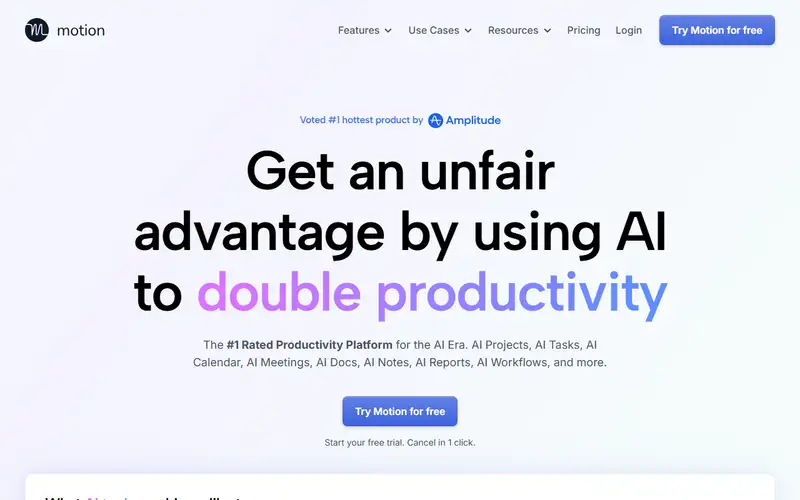
Overview
Motion's insight is that to-do lists fail because they are decoupled from time. So it merges tasks and calendar into one algorithm: give it deadlines, durations and priorities, and it blocks real hours on your calendar — then re-blocks constantly as meetings land, tasks slip and reality interferes. The plan is never stale because maintaining it is the machine's job, not yours.
For teams it doubles as lightweight project management with workload visibility. The honest tradeoffs: you surrender scheduling control (the algorithm wins arguments), the interface is denser than minimalist todo apps, and per-user pricing is premium. People who live by their calendar tend to love it within two weeks; people who want free-form lists will chafe. As a demonstration of AI as planning, not note-taking, Motion is the category's reference.
No content sources are recorded for this entry. Its inclusion and existing score do not establish that its claims have been independently verified.
Pros / Cons
Pros
- The plan maintains itself as reality changes
- Deadlines become concrete calendar blocks
- Team workload visibility included
- Kills the weekly planning ritual
Cons
- You surrender scheduling control to the algorithm
- Dense UI compared to minimal todo apps
- Premium per-user pricing
Who it's for
Overloaded calendars that never survive Monday
Team project deadlines with real time budgeting
Founders juggling deep work and meetings
Agencies balancing multiple client workloads
Bottom line
AI as a planner, not a notetaker — hand it your deadlines and let go of the schedule.
Key Features
Tags
Frequently asked questions
Is Motion currently available?
No lifecycle review is recorded for this listing. Its inclusion in the directory does not confirm current availability; check the vendor before relying on it.
What is Motion?
Motion is a Productivity tool developed by Motion. It was introduced in 2019, and its developer is headquartered in San Francisco, USA. An AI project manager and calendar in one: tasks, meetings and deadlines feed an algorithm that rebuilds your schedule automatically — when reality slips, the whole plan re-plans itself.
Is Motion free?
No — Motion is a paid product. Check the official website for current plans and pricing.
Is Motion open source?
No — Motion is proprietary software.
What are the best alternatives to Motion?
Notable Productivity alternatives include Notion AI, Grammarly, Canva AI. Browse all 159 tools in our Productivity category for a full overview.
Was this listing useful?
Basic Info
- Pricing
- Paid
- Editorial score
- ★ 4.4 / 5 How we score
- Platforms
- WebiOSAndroid
- Launched
- 2019
- Headquarters
- San Francisco, USA
- Last verified
- Not recorded