NVIDIA Broadcast
Product status: Status not recorded
No lifecycle review is recorded for this listing. Its inclusion in the directory does not confirm current availability; check the vendor before relying on it.
No status check date recorded
Windows RTX app that routes microphone, speaker and camera effects into communication or recording software, with effect-specific hardware limits. No lifecycle review is recorded for this listing. Its inclusion in the directory does not confirm current availability; check the vendor before relying on it.
Product preview
Decision notes
Official-document research
Based on the cited documentation. We did not use the product, purchase a plan, or run quality, speed or reliability tests in this review.
Consider it for
- Windows users with a compatible RTX system
Choose another approach if
- Mac/GTX-only setups
- Text-to-speech, cloning or guaranteed zero GPU impact
Pricing and conditions
Documented terms
NVIDIA's 2023 announcement calls Broadcast a free app; the current download page presents no recurring plan table. Compatible RTX hardware, a Windows PC, electricity and optional downstream services cost separately. No current per-seat or per-minute fee was established; retail currency, tax and regional hardware totals depend on your supplier. A free download does not establish commercial redistribution rights.
Pricing source read:
Pricing or terms sourceCode, model and service licensing
This is a proprietary downloadable app, not an open-source or model-weight release. NVIDIA website terms defer to licenses accompanying downloaded materials; the Broadcast installer EULA was not obtained, so commercial deployment and redistribution scope remain unconfirmed here. Recorded people, media and downstream apps need their own rights. NVIDIA's broad privacy policy covers device/usage data and consent-based crash data; it does not establish a Broadcast-specific no-training, no-upload or zero-retention promise.
Basis and limits of the recorded score
Original 4.6/5 retained; no original scoring worksheet or hands-on evidence was available. This documentation review does not validate the score.
Overview
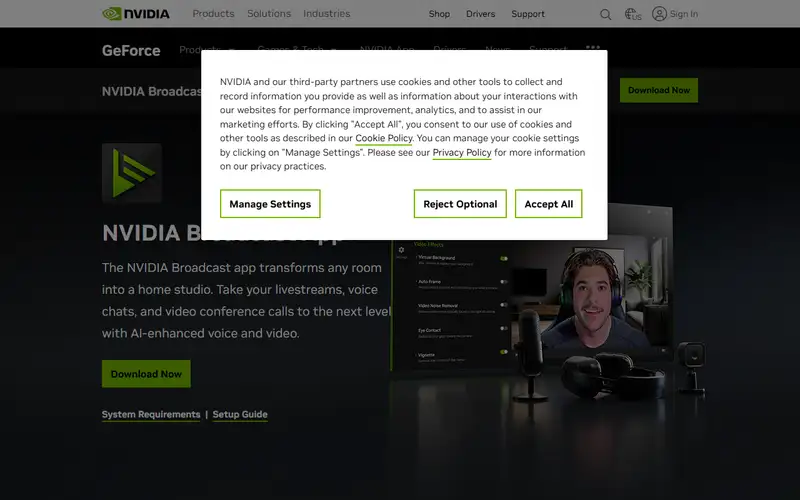
Broadcast creates virtual audio/video devices that other apps select as inputs or outputs. It documents noise/echo processing, background effects and eye-contact controls, plus recorded-file processing with format and concurrency limits. It enhances existing signals rather than generating narration. Base support starts with specified RTX 2060-class hardware and 8GB RAM on supported Windows; Studio Voice, Virtual Key Light and video Super Resolution need RTX 3060-class or above, and Frame Generation needs RTX 40-series or above. Multiple effects consume GPU resources; actual compatibility and quality require checking your setup.
Sources
The factual claims in this review were read from the pages below. Each date is when an editor last opened the source, not when the product changed.
- Vendor site Checked 2026-10-15
- Vendor documentation Checked 2026-10-15
- Vendor documentation Checked 2026-10-15
- Vendor changelog Checked 2026-10-15
- Vendor documentation Checked 2026-10-15
- Vendor documentation Checked 2026-10-15
Pros / Cons
Pros
- Works through virtual devices in other apps
- Effect and hardware requirements are documented
Cons
- RTX and supported Windows required
- Advanced effects have higher GPU requirements; no performance test here
Who it's for
Microphone cleanup in calls
Background effects in recording
Supported-format file enhancement
Bottom line
Check your exact GPU, driver and effect requirements before choosing Broadcast for an existing Windows workflow.
Key Features
Tags
Compare NVIDIA Broadcast with alternatives
Frequently asked questions
Is NVIDIA Broadcast currently available?
No lifecycle review is recorded for this listing. Its inclusion in the directory does not confirm current availability; check the vendor before relying on it.
What is NVIDIA Broadcast?
NVIDIA Broadcast is a Audio Generation tool developed by NVIDIA. Windows RTX app that routes microphone, speaker and camera effects into communication or recording software, with effect-specific hardware limits.
What costs and terms should I check for NVIDIA Broadcast?
NVIDIA's 2023 announcement calls Broadcast a free app; the current download page presents no recurring plan table. Compatible RTX hardware, a Windows PC, electricity and optional downstream services cost separately. No current per-seat or per-minute fee was established; retail currency, tax and regional hardware totals depend on your supplier. A free download does not establish commercial redistribution rights.
Is NVIDIA Broadcast open source?
This is a proprietary downloadable app, not an open-source or model-weight release. NVIDIA website terms defer to licenses accompanying downloaded materials; the Broadcast installer EULA was not obtained, so commercial deployment and redistribution scope remain unconfirmed here. Recorded people, media and downstream apps need their own rights. NVIDIA's broad privacy policy covers device/usage data and consent-based crash data; it does not establish a Broadcast-specific no-training, no-upload or zero-retention promise.
What are the best alternatives to NVIDIA Broadcast?
Notable Audio Generation alternatives include ElevenLabs, Suno, Udio. Browse all 51 tools in our Audio Generation category for a full overview.
Was this listing useful?
Basic Info
- Pricing
- Free
NVIDIA's 2023 announcement calls Broadcast a free app; the current download page presents no recurring plan table. Compatible RTX hardware, a Windows PC, electricity and optional downstream services cost separately. No current per-seat or per-minute fee was established; retail currency, tax and regional hardware totals depend on your supplier. A free download does not establish commercial redistribution rights.
- Editorial score
- ★ 4.6 / 5 How we score
- Platforms
- Windows
- Last verified
- Not recorded