
OpusClip
Product status: Status not recorded
No lifecycle review is recorded for this listing. Its inclusion in the directory does not confirm current availability; check the vendor before relying on it.
No status check date recorded
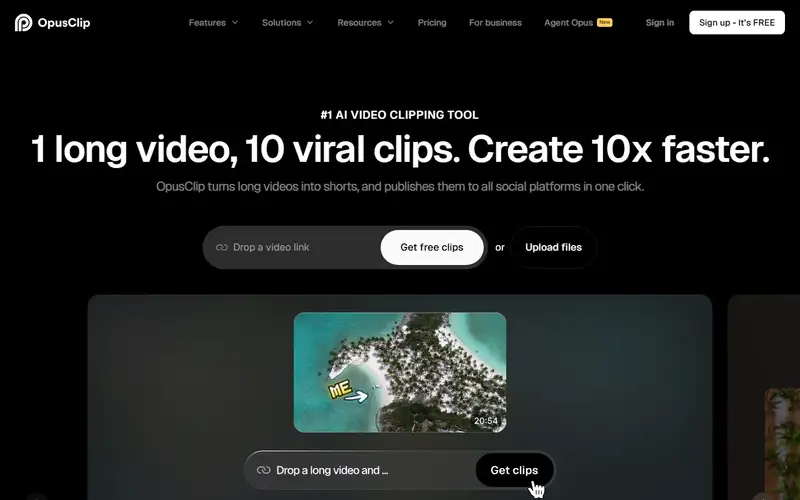
OpusClip turns existing videos into editable short clips with prompt-based selection, captions and reframing, plus plan-dependent export and scheduling. No lifecycle review is recorded for this listing. Its inclusion in the directory does not confirm current availability; check the vendor before relying on it.
Product preview
Decision notes
Official-document research
Based on the cited documentation. We did not use the product, purchase a plan, or run quality, speed or reliability tests in this review.
Consider it for
- Creators repurposing rights-cleared recordings
- Teams able to review captions, context and framing
Choose another approach if
- Projects relying on guaranteed viral reach
- Free workflows needing editable clips or long export access
- Sensitive content requiring verified no-training and zero-retention terms
Pricing and conditions
Documented terms
USD: Free 60 credits/month, watermark/no editing, export unavailable after 3 days; Starter $15/month for 150 credits; Pro $29/month or $174/year ($14.50/month equivalent), 300 monthly-equivalent credits per pack and 2 seats; Business quote. Processing costs 1 credit/original minute, with special rounding; X posting costs 3/clip/account. Team credits are shared. Pricing says Pro rollover '2 months'; help specifies monthly credits last 60 days (one extra month), while annual credits arrive as a full-year pool valid 12 months. Confirm applicable expiry before paying. Packs/top-ups and extra features are separate; exact tax, regional checkout, added-seat/top-up prices and eligibility are unconfirmed.
Pricing source read:
Pricing or terms sourceCode, model and service licensing
You keep uploaded-submission ownership but grant processing/display licenses; public submissions also permit promotion, and grants are worldwide, perpetual, irrevocable and sublicensable. Account deletion does not guarantee complete removal. Obtain copyright, voice/likeness and third-party music permissions; NCS has separate conditions. The iOS-specific license limits free app use to personal non-commercial use with a paid-service exception; do not generalize this clause to all web use. Service access does not grant source or weights. Privacy permits product improvement and necessary/legal retention; default no-training is not verified.
Basis and limits of the recorded score
Original 4.3 retained; the original score worksheet was unavailable. This docs-only review does not re-score clip quality, usability or social reach.
Overview
OpusClip repurposes existing recordings into short clips. ClipAnything uses prompts and visual/audio cues to select moments, while editing, captions, reframing, XML handoff and social publishing depend on plan. Its Virality Score is a vendor-generated ranking aid, not independently established audience growth. Credits primarily track original video processing time, with separate charges for some actions such as X posting. Free clips have a watermark and a three-day export window. This review read official documents without importing videos, operating accounts or measuring clip quality, speed or social results.
Sources
The factual claims in this review were read from the pages below. Each date is when an editor last opened the source, not when the product changed.
- Vendor site Checked 2026-10-15
- Vendor documentation Checked 2026-10-15
- Vendor pricing page Checked 2026-10-15
- Vendor documentation Checked 2026-10-15
- Vendor documentation Checked 2026-10-15
- Vendor documentation Checked 2026-10-15
Pros / Cons
Pros
- Prompts can target visual as well as spoken moments
- Paid editing and XML handoff support further review
Cons
- Original processing time consumes credits
- Free clips cannot be edited and expire for export after three days
- Credit expiry wording differs between pricing and help
Who it's for
Interview and podcast highlights
Prompt-selected sports or vlog moments
Social clips with an editorial review step
Bottom line
Consider OpusClip for reviewing short-clip drafts from media you may lawfully use. Budget original minutes and publishing actions; validate content, rights and expiry before delivery.
Key Features
Tags
Frequently asked questions
Is OpusClip currently available?
No lifecycle review is recorded for this listing. Its inclusion in the directory does not confirm current availability; check the vendor before relying on it.
What is OpusClip?
OpusClip is a Video Generation tool developed by Opus. OpusClip turns existing videos into editable short clips with prompt-based selection, captions and reframing, plus plan-dependent export and scheduling.
What costs and terms should I check for OpusClip?
USD: Free 60 credits/month, watermark/no editing, export unavailable after 3 days; Starter $15/month for 150 credits; Pro $29/month or $174/year ($14.50/month equivalent), 300 monthly-equivalent credits per pack and 2 seats; Business quote. Processing costs 1 credit/original minute, with special rounding; X posting costs 3/clip/account. Team credits are shared. Pricing says Pro rollover '2 months'; help specifies monthly credits last 60 days (one extra month), while annual credits arrive as a full-year pool valid 12 months. Confirm applicable expiry before paying. Packs/top-ups and extra features are separate; exact tax, regional checkout, added-seat/top-up prices and eligibility are unconfirmed.
Is OpusClip open source?
You keep uploaded-submission ownership but grant processing/display licenses; public submissions also permit promotion, and grants are worldwide, perpetual, irrevocable and sublicensable. Account deletion does not guarantee complete removal. Obtain copyright, voice/likeness and third-party music permissions; NCS has separate conditions. The iOS-specific license limits free app use to personal non-commercial use with a paid-service exception; do not generalize this clause to all web use. Service access does not grant source or weights. Privacy permits product improvement and necessary/legal retention; default no-training is not verified.
What are the best alternatives to OpusClip?
Notable Video Generation alternatives include Runway, HeyGen, Pika. Browse all 58 tools in our Video Generation category for a full overview.
Was this listing useful?
Basic Info
- Pricing
- Freemium
USD: Free 60 credits/month, watermark/no editing, export unavailable after 3 days; Starter $15/month for 150 credits; Pro $29/month or $174/year ($14.50/month equivalent), 300 monthly-equivalent credits per pack and 2 seats; Business quote. Processing costs 1 credit/original minute, with special rounding; X posting costs 3/clip/account. Team credits are shared. Pricing says Pro rollover '2 months'; help specifies monthly credits last 60 days (one extra month), while annual credits arrive as a full-year pool valid 12 months. Confirm applicable expiry before paying. Packs/top-ups and extra features are separate; exact tax, regional checkout, added-seat/top-up prices and eligibility are unconfirmed.
- Editorial score
- ★ 4.3 / 5 How we score
- Platforms
- Web
- Last verified
- Not recorded