Prezi
Product status: Status not recorded
No lifecycle review is recorded for this listing. Its inclusion in the directory does not confirm current availability; check the vendor before relying on it.
No status check date recorded
The non-linear presentation OG, now with AI: zooming canvases and Prezi AI drafts. No lifecycle review is recorded for this listing. Its inclusion in the directory does not confirm current availability; check the vendor before relying on it.
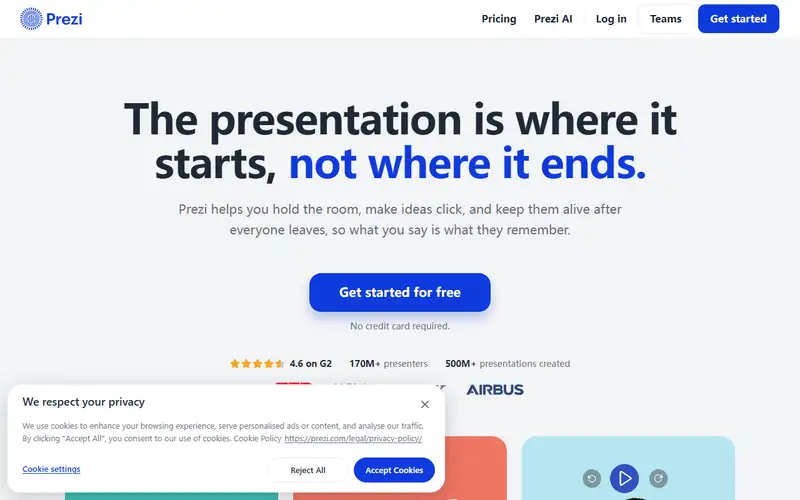
Product preview
Overview
Prezi is still the non-linear one: Prezi Present builds a single zooming canvas you navigate freely — zoom into the detail, pull back to the whole map — instead of a queue of slides, on the argument that an audience remembers a spatial case better than slide forty-two. Around that core it grew into a small family. Prezi Video puts the presenter beside their content over whatever conferencing tool you already use and exports the recording; Prezi Design handles interactive charts, maps and infographics; Prezi AI drafts the deck from a prompt, walking through outline, layout, copy and refinement; and Brand Kit pushes your colours, logo and fonts across everything. Paid tiers add the procurement parts: offline desktop editing, presenter cues, engagement analytics and SOC 2 paperwork.
The honest weakness is that Prezi has to win two arguments at once. It competes with PowerPoint for the room, and rooms usually expect linear slides — so check what happens when the deck must be sent as a file or opened on a bad connection. It also competes with text-first AI deck generators on speed, where Prezi's AI is helpful rather than dramatically faster. Motion carries its own cost: a zoom path that reads as energy in a keynote reads as nausea in a compliance briefing, and dense tables of numbers want pages, not geography. Choose it when the shape of the argument is the point — teaching, keynotes, pitches, workshops — and pilot one real talk before you move the year's roadmap into it.
Sources
The factual claims in this review were read from the pages below. Each date is when an editor last opened the source, not when the product changed.
- Vendor site Checked 2026-09-20
- Vendor site Checked 2026-09-20
- Vendor site Checked 2026-09-20
Pros / Cons
Pros
- A format that breaks slide fatigue
- AI drafts the zoom path
- Video presenter overlays
- Templates for every occasion
Cons
- Zooms can nauseate the unprepared
- Corporate decks still expect linear
- AI features lag Gamma's pace
Who it's for
Keynotes that need a map, not a list
Training and education decks
Video pitches with presenter overlay
Non-linear workshops
Bottom line
Decks as journeys — Prezi for the map, Gamma for the speed.
Key Features
Tags
Frequently asked questions
Is Prezi currently available?
No lifecycle review is recorded for this listing. Its inclusion in the directory does not confirm current availability; check the vendor before relying on it.
What is Prezi?
Prezi is a Productivity tool developed by Prezi. It was introduced in 2009, and its developer is headquartered in Budapest, Hungary. The non-linear presentation OG, now with AI: zooming canvases and Prezi AI drafts.
Is Prezi free?
Prezi uses a freemium model: a free tier is available, and paid plans unlock more usage and advanced features.
Is Prezi open source?
No — Prezi is proprietary software.
What are the best alternatives to Prezi?
Notable Productivity alternatives include Notion AI, Grammarly, Canva AI. Browse all 159 tools in our Productivity category for a full overview.
Was this listing useful?
Basic Info
- Pricing
- Freemium
- Editorial score
- ★ 4.4 / 5 How we score
- Platforms
- WebDesktopMobile
- Launched
- 2009
- Headquarters
- Budapest, Hungary
- Last verified
- Not recorded