Raycast AI
Raycast
★ #126 in ProductivityProduct status: Status not recorded
No lifecycle review is recorded for this listing. Its inclusion in the directory does not confirm current availability; check the vendor before relying on it.
No status check date recorded
AI chat, reusable commands and agents inside Raycast, with plan-based credits and supported external or local models. No lifecycle review is recorded for this listing. Its inclusion in the directory does not confirm current availability; check the vendor before relying on it.
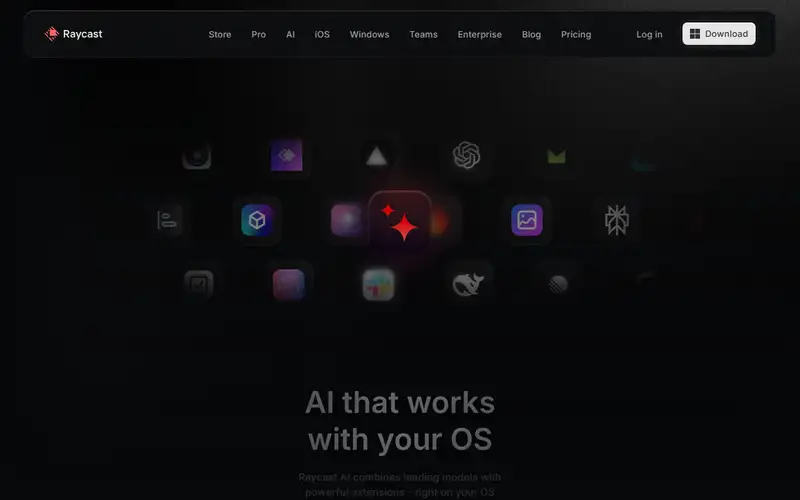
Product preview
Decision notes
Official-document research
Based on the cited documentation. We did not use the product, purchase a plan, or run quality, speed or reliability tests in this review.
Consider it for
- Raycast users who want reusable commands and reviewed tool workflows
Choose another approach if
- Free unlimited hosted AI or guaranteed local processing
- Unreviewed actions with broad service permissions
Pricing and conditions
Documented terms
Read 2026-10-15: pricing/manual list Pro 500, Pro+ 3,000 and Max 7,500 credits/month; Free has no AI, and advanced models are outside the trial. The AI feature page's annual cards show Pro $8/month with $96 billed annually and Teams Pro $12/user/month with $144 annually; currency code, monthly checkout prices and Plus/Max amounts were not confirmed. Terms say fees include applicable VAT/sales tax and subscriptions auto-renew. Monthly grants expire after 60 days; top-ups after 12 months and require paid service; team top-ups are per member, not pooled. Self-supplied models use provider limits/costs instead. Confirm region, current quote and any discount.
Pricing source read:
Pricing or terms sourceCode, model and service licensing
The app/service and model access are proprietary; open-source extensions do not open-source the app or hosted models. Terms assign only Raycast's acquired output copyright, subject to law, your input rights and AI-provider terms; uniqueness and non-infringement are not guaranteed. Raycast says it does not train on AI inputs, while hosted-provider agreements, feedback opt-in and self-supplied providers have distinct scope. Cloud sync, attachments and memory create storage/processing exceptions; Mistral and xAI have stated 30-day retention. BYOK is not uniformly direct or local.
Basis and limits of the recorded score
The existing 4.4 is preserved. The original scoring worksheet was not recorded; this documentation-only update does not re-score speed, model quality or workflow safety.
Overview
Raycast AI brings chat, Quick AI, reusable prompts and agents into Raycast. AI Extensions can connect tools; agents can act through permissions you enable. The documentation also supports using selected external subscriptions, API keys, custom providers or local Ollama models. Mac, Windows and iOS appear in current product materials, but feature parity was not tested.
Raycast Free does not include AI. Paid tiers supply monthly credits rather than a fixed message count, with different model eligibility. External-model use follows the connected provider's cost and privacy terms. Local-first storage does not make hosted AI local: cloud sync, attachments, optional feedback and memory can involve server processing. Review both model routing and action permissions before enabling sensitive workflows.
Sources
The factual claims in this review were read from the pages below. Each date is when an editor last opened the source, not when the product changed.
- Vendor documentation Checked 2026-10-15
- Vendor pricing page Checked 2026-10-15
- Vendor documentation Checked 2026-10-15
- Vendor documentation Checked 2026-10-15
- Vendor documentation Checked 2026-10-15
- Vendor documentation Checked 2026-10-15
Pros / Cons
Pros
- Reusable prompts alongside launcher workflows
- Choice of supported hosted and self-supplied models
- Visible usage and model-dependent credit accounting
Cons
- AI requires an active paid plan after trial
- Credits depend on model, context and tools; they expire
- Provider, attachment, sync and memory privacy rules differ
- Tool actions and generated answers require review
Who it's for
Reviewed text rewriting with saved commands
Comparing supported models in one interface
Permission-limited tool-assisted work
Bottom line
Consider Raycast AI if you already use Raycast and can manage credit expiry, provider terms and agent permissions.
Key Features
Tags
Frequently asked questions
Is Raycast AI currently available?
No lifecycle review is recorded for this listing. Its inclusion in the directory does not confirm current availability; check the vendor before relying on it.
What is Raycast AI?
Raycast AI is a Productivity tool developed by Raycast. AI chat, reusable commands and agents inside Raycast, with plan-based credits and supported external or local models.
What costs and terms should I check for Raycast AI?
Read 2026-10-15: pricing/manual list Pro 500, Pro+ 3,000 and Max 7,500 credits/month; Free has no AI, and advanced models are outside the trial. The AI feature page's annual cards show Pro $8/month with $96 billed annually and Teams Pro $12/user/month with $144 annually; currency code, monthly checkout prices and Plus/Max amounts were not confirmed. Terms say fees include applicable VAT/sales tax and subscriptions auto-renew. Monthly grants expire after 60 days; top-ups after 12 months and require paid service; team top-ups are per member, not pooled. Self-supplied models use provider limits/costs instead. Confirm region, current quote and any discount.
Is Raycast AI open source?
The app/service and model access are proprietary; open-source extensions do not open-source the app or hosted models. Terms assign only Raycast's acquired output copyright, subject to law, your input rights and AI-provider terms; uniqueness and non-infringement are not guaranteed. Raycast says it does not train on AI inputs, while hosted-provider agreements, feedback opt-in and self-supplied providers have distinct scope. Cloud sync, attachments and memory create storage/processing exceptions; Mistral and xAI have stated 30-day retention. BYOK is not uniformly direct or local.
What are the best alternatives to Raycast AI?
Notable Productivity alternatives include Notion AI, Grammarly, Canva AI. Browse all 159 tools in our Productivity category for a full overview.
Was this listing useful?
Basic Info
- Pricing
- Paid
Read 2026-10-15: pricing/manual list Pro 500, Pro+ 3,000 and Max 7,500 credits/month; Free has no AI, and advanced models are outside the trial. The AI feature page's annual cards show Pro $8/month with $96 billed annually and Teams Pro $12/user/month with $144 annually; currency code, monthly checkout prices and Plus/Max amounts were not confirmed. Terms say fees include applicable VAT/sales tax and subscriptions auto-renew. Monthly grants expire after 60 days; top-ups after 12 months and require paid service; team top-ups are per member, not pooled. Self-supplied models use provider limits/costs instead. Confirm region, current quote and any discount.
- Editorial score
- ★ 4.4 / 5 How we score
- Platforms
- DesktopiOS
- Last verified
- Not recorded