
Scribe
Scribe
★ #44 in ProductivityProduct status: Status not recorded
No lifecycle review is recorded for this listing. Its inclusion in the directory does not confirm current availability; check the vendor before relying on it.
No status check date recorded
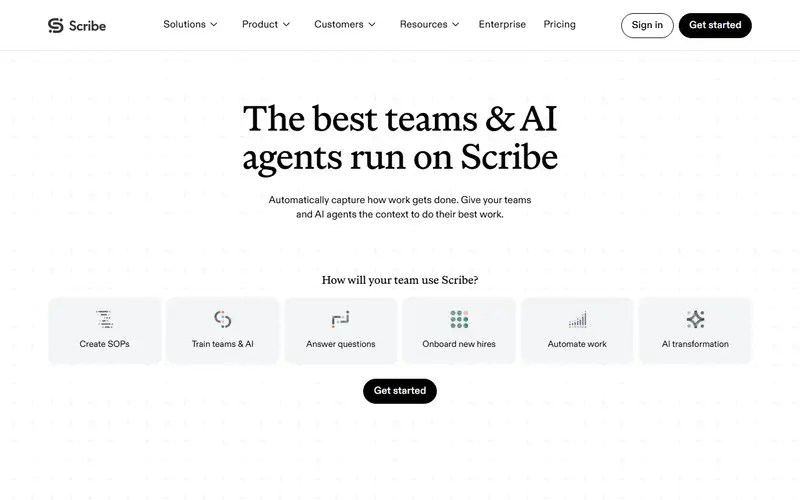
A hosted workflow-documentation service that turns captured actions into editable guides, with plan-dependent exports, redaction and AI features. No lifecycle review is recorded for this listing. Its inclusion in the directory does not confirm current availability; check the vendor before relying on it.
Product preview
Decision notes
Official-document research
Based on the cited documentation. We did not use the product, purchase a plan, or run quality, speed or reliability tests in this review.
Consider it for
- Teams authorized to document and share reviewed procedures
Choose another approach if
- Assuming all captured data is excluded from training or immediately deleted
- Unrestricted AI-training or retrieval reuse of exports without checking permission
Pricing and conditions
Current terms unconfirmed
Basic browser guides are free. The USD page shows Personal35/25 per seat/month, starting1 seat; Team29/23 in one block and17/13 in another, both starting5. Month/year controls do not resolve the conflicting Team quote or exact charge mapping. Enterprise is custom and features vary. Confirm billing period, annual total, regional taxes, AI/Autocapture limits and overages. Terms state fees exclude taxes, generally no refunds and automatic renewal with30-day written non-renewal unless an Order differs. Pro manual screenshot redaction is not Enterprise automatic PII/PHI redaction.
Pricing source read:
Pricing or terms sourceCode, model and service licensing
A proprietary service, not source/weight licensing. Users retain relative content rights but grant Scribe a broad perpetual, irrevocable license including its own AI training; Privacy also allows development and some third-party licensing/sharing, subject to available opt-outs/exclusions. External AI providers' no-training/30-day deletion and no-guide-image statement are narrower. Terms restrict AI training/evaluation/retrieval reuse without express written authorization; reconcile API/MCP use with the selected contract. Logs, cross-border processing and retained team content remain; deactivating an account is not complete deletion.
Basis and limits of the recorded score
Original 4.6/5 retained; the original scoring worksheet and hands-on evidence are unavailable. This document review did not re-score it.
Overview
Scribe captures workflows into editable, shareable step guides. Its Capture page also describes Autocapture; manual screenshot editing, export and automatic PII/PHI redaction belong to different plan conditions. A feature marked coming soon is not a verified current capability.
Review captured screens and the data-use agreement before recording sensitive work. Published restrictions on external AI providers do not cover every use by Scribe itself: current terms and privacy allow broader content/data uses, including its own AI development. Export and API/MCP marketing also need to be read alongside AI-reuse restrictions.
Sources
The factual claims in this review were read from the pages below. Each date is when an editor last opened the source, not when the product changed.
- Vendor documentation Checked 2026-10-15
- Vendor pricing page Checked 2026-10-15
- Vendor documentation Checked 2026-10-15
- Vendor documentation Checked 2026-10-15
- Vendor documentation Checked 2026-10-15
Pros / Cons
Pros
- Editable guides with link sharing
- Plan-specific documentation and redaction tools
Cons
- Current public Team price blocks disagree
- Broad content and AI-reuse terms need review
Who it's for
Documenting approved workflows for colleagues
Preparing reviewed onboarding instructions
Bottom line
Check the plan, screen contents and actual data/reuse terms before capturing organizational work.
Key Features
Tags
Frequently asked questions
Is Scribe currently available?
No lifecycle review is recorded for this listing. Its inclusion in the directory does not confirm current availability; check the vendor before relying on it.
What is Scribe?
Scribe is a Productivity tool developed by Scribe. A hosted workflow-documentation service that turns captured actions into editable guides, with plan-dependent exports, redaction and AI features.
What costs and terms should I check for Scribe?
Basic browser guides are free. The USD page shows Personal35/25 per seat/month, starting1 seat; Team29/23 in one block and17/13 in another, both starting5. Month/year controls do not resolve the conflicting Team quote or exact charge mapping. Enterprise is custom and features vary. Confirm billing period, annual total, regional taxes, AI/Autocapture limits and overages. Terms state fees exclude taxes, generally no refunds and automatic renewal with30-day written non-renewal unless an Order differs. Pro manual screenshot redaction is not Enterprise automatic PII/PHI redaction.
Is Scribe open source?
A proprietary service, not source/weight licensing. Users retain relative content rights but grant Scribe a broad perpetual, irrevocable license including its own AI training; Privacy also allows development and some third-party licensing/sharing, subject to available opt-outs/exclusions. External AI providers' no-training/30-day deletion and no-guide-image statement are narrower. Terms restrict AI training/evaluation/retrieval reuse without express written authorization; reconcile API/MCP use with the selected contract. Logs, cross-border processing and retained team content remain; deactivating an account is not complete deletion.
What are the best alternatives to Scribe?
Notable Productivity alternatives include Notion AI, Grammarly, Canva AI. Browse all 159 tools in our Productivity category for a full overview.
Was this listing useful?
Basic Info
- Pricing
- Freemium
Basic browser guides are free. The USD page shows Personal35/25 per seat/month, starting1 seat; Team29/23 in one block and17/13 in another, both starting5. Month/year controls do not resolve the conflicting Team quote or exact charge mapping. Enterprise is custom and features vary. Confirm billing period, annual total, regional taxes, AI/Autocapture limits and overages. Terms state fees exclude taxes, generally no refunds and automatic renewal with30-day written non-renewal unless an Order differs. Pro manual screenshot redaction is not Enterprise automatic PII/PHI redaction.
- Editorial score
- ★ 4.6 / 5 How we score
- Platforms
- WebBrowser extensionDesktop
- Last verified
- Not recorded