
Tempo
Tempo Software
★ #146 in ProductivityProduct status: Status not recorded
No lifecycle review is recorded for this listing. Its inclusion in the directory does not confirm current availability; check the vendor before relying on it.
No status check date recorded
Tempo's Timesheets for Jira records and reviews worklogs, with activity suggestions and reports; adjacent planning and finance products have separate terms and pricing. No lifecycle review is recorded for this listing. Its inclusion in the directory does not confirm current availability; check the vendor before relying on it.
Product preview
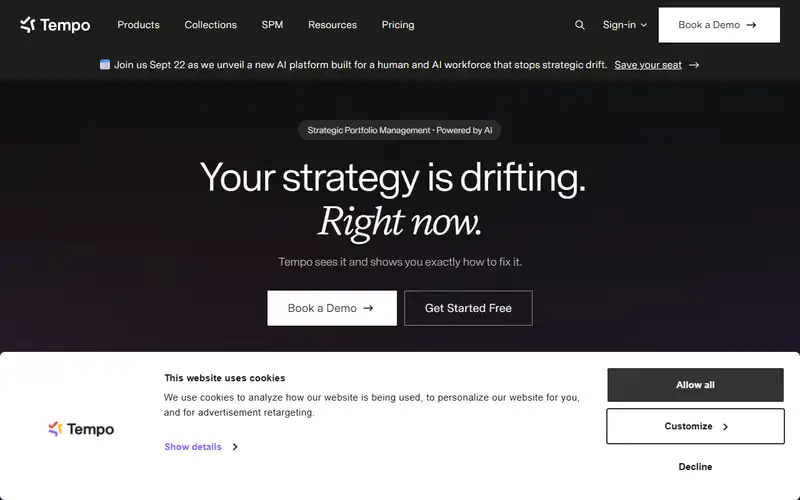
Decision notes
Official-document research
Based on the cited documentation. We did not use the product, purchase a plan, or run quality, speed or reliability tests in this review.
Consider it for
- Jira organizations with a worklog review process
Choose another approach if
- Assuming all planning products are included
- Client billing without checking the applicable contract
Pricing and conditions
Documented terms
The Monthly table lists 1–10 users at a $10 flat fee and 11–100 at $5.99/user/month; these are tier-specific displays, not a universal rate. Tempo license size must match Jira users able to log in. Annual and Data Center pricing differ; Jira costs and other Tempo modules are separate. ISO currency, tax, region, negotiated terms and final calculator/checkout total were not confirmed.
Pricing source read:
Pricing or terms sourceCode, model and service licensing
The linked EULA licenses proprietary hosted services for internal business, not code or model weights; a signed agreement takes precedence. Clause 1.5(k) broadly restricts using services/reports for third-party services despite advertised client-billing workflows. Confirm the applicable contract rather than assuming permission. Recording and integration data require authorization; no blanket training, deletion, retention or confidentiality guarantee was verified.
Basis and limits of the recorded score
The existing 4.3 score is retained without its original worksheet. No Jira workflow, time-saving, activity detection, report or competitor test was run.
Overview
This entry covers Tempo Timesheets for Jira. Its product page describes worklogs, activity suggestions from connected tools, team approvals and reports. The pricing table distinguishes Cloud and Data Center; confirm the exact edition and integration rather than assuming every AI or calendar feature is available in both.
Evaluate it for reviewed internal time records in a Jira organization. Capacity planning and financial tools are adjacent products, not automatically included. The site advertises client billing workflows, while the linked hosted EULA contains broad restrictions on using services or reports for third parties; check the applicable signed agreement before adopting that use. No saved-time or reporting-accuracy result was measured.
Sources
The factual claims in this review were read from the pages below. Each date is when an editor last opened the source, not when the product changed.
- Vendor documentation Checked 2026-10-15
- Vendor pricing page Checked 2026-10-15
- Vendor documentation Checked 2026-10-15
- Vendor documentation Checked 2026-10-15
Pros / Cons
Pros
- Worklog review inside Jira
- Documented licensing-size and edition distinctions
Cons
- License sizing follows Jira access, not only active loggers
- AI and adjacent products need edition checks
- Client-service contract scope needs clarification
Who it's for
Reviewed internal project worklogs
Jira team time approvals and reporting
Bottom line
Check Jira license sizing, edition and the actual contract before choosing Timesheets; budget other Tempo modules separately.
Key Features
Tags
Frequently asked questions
Is Tempo currently available?
No lifecycle review is recorded for this listing. Its inclusion in the directory does not confirm current availability; check the vendor before relying on it.
What is Tempo?
Tempo is a Productivity tool developed by Tempo Software. Tempo's Timesheets for Jira records and reviews worklogs, with activity suggestions and reports; adjacent planning and finance products have separate terms and pricing.
What costs and terms should I check for Tempo?
The Monthly table lists 1–10 users at a $10 flat fee and 11–100 at $5.99/user/month; these are tier-specific displays, not a universal rate. Tempo license size must match Jira users able to log in. Annual and Data Center pricing differ; Jira costs and other Tempo modules are separate. ISO currency, tax, region, negotiated terms and final calculator/checkout total were not confirmed.
Is Tempo open source?
The linked EULA licenses proprietary hosted services for internal business, not code or model weights; a signed agreement takes precedence. Clause 1.5(k) broadly restricts using services/reports for third-party services despite advertised client-billing workflows. Confirm the applicable contract rather than assuming permission. Recording and integration data require authorization; no blanket training, deletion, retention or confidentiality guarantee was verified.
What are the best alternatives to Tempo?
Notable Productivity alternatives include Notion AI, Grammarly, Canva AI. Browse all 159 tools in our Productivity category for a full overview.
Was this listing useful?
Basic Info
- Pricing
- Paid
The Monthly table lists 1–10 users at a $10 flat fee and 11–100 at $5.99/user/month; these are tier-specific displays, not a universal rate. Tempo license size must match Jira users able to log in. Annual and Data Center pricing differ; Jira costs and other Tempo modules are separate. ISO currency, tax, region, negotiated terms and final calculator/checkout total were not confirmed.
- Editorial score
- ★ 4.3 / 5 How we score
- Platforms
- JiraWeb
- Last verified
- Not recorded