
Tango
Product status: Status not recorded
No lifecycle review is recorded for this listing. Its inclusion in the directory does not confirm current availability; check the vendor before relying on it.
No status check date recorded
Click-through SOPs that capture themselves: Tango watches the workflow and writes the guide — Scribe's closest cousin, with a slightly more enterprise coat. No lifecycle review is recorded for this listing. Its inclusion in the directory does not confirm current availability; check the vendor before relying on it.
Product preview
Overview
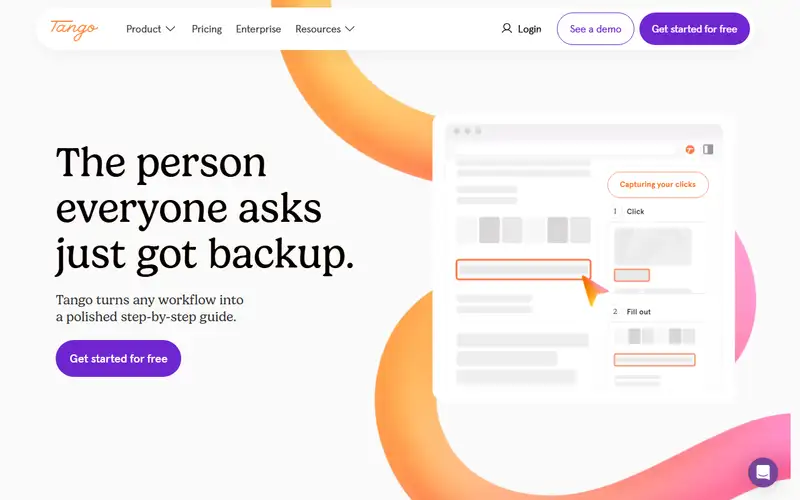
Tango is process documentation that writes itself while you work: a Chrome extension watches you click through a software task and turns the walk-through into a step-by-step guide with screenshots, zooms and written instructions — the artifact you would otherwise hand-assemble in a wiki. The newer layer is AI: Guide Me walks users live through the same steps inside the real application, pins surface instant answers drawn from guides and connected knowledge sources, and the vendor pitches automations on top. Integrations cover the places processes actually live — Salesforce, Slack and Confluence are named on the site — so guides do not strand in a separate silo. There is a free plan, and paid tiers scale per creator.
The buyer is the ops, CX or enablement team whose real problem is that process lives in someone's head; Tango converts 'watch me do this once' into an artifact, and the maintenance case — recapture instead of rewrite — is what you take to the budget meeting. Two hard edges. A recorder captures what is on screen, including tokens, personal data and internal IDs, so redaction is not a nicety but the difference between a guide and a leak. And Tango is screenshots and steps, not narrated video; if training needs voice and a timeline, you want a video-first tool. If you already run Scribe, you have functional overlap — pick one SOP vendor and stop feeding two subscriptions.
Sources
The factual claims in this review were read from the pages below. Each date is when an editor last opened the source, not when the product changed.
- Vendor site Checked 2026-09-20
Pros / Cons
Pros
- SOPs from a walkthrough, not a novel
- Ops-shaped sharing
- Redaction before you send
- Faster than Confluence
Cons
- Captures too much without redaction
- Overlaps Scribe — pick one
- Not a narrated video
Who it's for
Capturing an ops click-through
Onboarding guides that stay current
Redacting SOPs for vendors
Replacing rotting process pages
Bottom line
The other click-through SOP — pick Tango or Scribe, not both.
Key Features
Tags
Frequently asked questions
Is Tango currently available?
No lifecycle review is recorded for this listing. Its inclusion in the directory does not confirm current availability; check the vendor before relying on it.
What is Tango?
Tango is a Productivity tool developed by Tango. It was introduced in 2020, and its developer is headquartered in San Francisco, USA. Click-through SOPs that capture themselves: Tango watches the workflow and writes the guide — Scribe's closest cousin, with a slightly more enterprise coat.
Is Tango free?
Tango uses a freemium model: a free tier is available, and paid plans unlock more usage and advanced features.
Is Tango open source?
No — Tango is proprietary software.
What are the best alternatives to Tango?
Notable Productivity alternatives include Notion AI, Grammarly, Canva AI. Browse all 159 tools in our Productivity category for a full overview.
Was this listing useful?
Basic Info
- Pricing
- Freemium
- Editorial score
- ★ 4.6 / 5 How we score
- Platforms
- WebBrowser extension
- Launched
- 2020
- Headquarters
- San Francisco, USA
- Last verified
- Not recorded