
Front
Product status: Status not recorded
No lifecycle review is recorded for this listing. Its inclusion in the directory does not confirm current availability; check the vendor before relying on it.
No status check date recorded
The customer inbox that grew AI: omnichannel threads, assignments, and copilots — Zendesk's more email-native cousin for teams that still think in conversations, not tickets. No lifecycle review is recorded for this listing. Its inclusion in the directory does not confirm current availability; check the vendor before relying on it.
Product preview
Overview
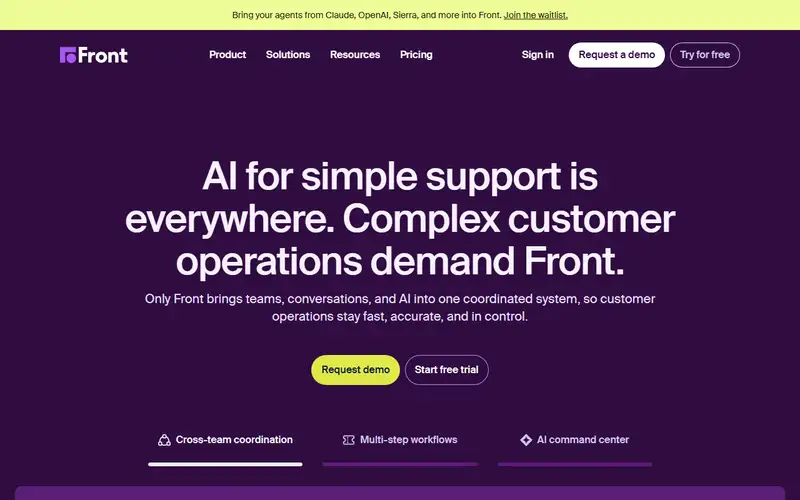
Front is a shared inbox for customer communication that grew into a support queue. Email and chat land in one collaborative workspace, work is routed by rules and tracked as structured cases, teammates keep context on the same conversation, and a customer-facing knowledge base sits alongside. Its AI is named in parts: Copilot for guidance inside a thread, Autopilot for workflow steps, Smart QA for checking replies against standards, Smart CSAT for satisfaction, with 160-plus integrations.
Pricing is per seat and the tiers are capped, which is what to read first. Starter is $25 per seat annually or $35 monthly, capped at ten seats and single-channel support, with only AI topic analysis. Professional is $65 ($85), up to fifty seats, omnichannel, macros and up to twenty automations. Enterprise is $105 annual only, with unlimited automations, custom permissions and the AI quality and satisfaction features. Advanced AI and autonomous agents are sold separately on the lower tiers, so the homepage pitch is not what Starter delivers. Two thresholds matter: the site ties bank payment to a twelve-thousand-dollar annual commitment and requires implementation services above twenty-five thousand, so a three-person team cannot buy this on a card. The fourteen-day trial needs no payment details and is the cheapest way to test routing, SLA reporting and whether you need Front at all. It is not a cheap helpdesk, and not the pick if you want bot-first deflection rather than people in a queue.
Sources
The factual claims in this review were read from the pages below. Each date is when an editor last opened the source, not when the product changed.
- Vendor site Checked 2026-09-20
- Vendor pricing page Checked 2026-09-20
Pros / Cons
Pros
- Conversations, not only tickets
- Copilot on the actual thread
- Omnichannel without abandoning email
- SLAs when Missive is no longer enough
Cons
- Enterprise price and a project
- Heavier than Missive
- Not Zendesk if you already live in tickets
Who it's for
Growing a shared alias into CX
AI drafts on omnichannel threads
SLAs without a full Zendesk migration
Teams that still think in conversations
Bottom line
The grown-up shared inbox — Front when conversations need SLAs, Zendesk when they are already tickets.
Key Features
Tags
Frequently asked questions
Is Front currently available?
No lifecycle review is recorded for this listing. Its inclusion in the directory does not confirm current availability; check the vendor before relying on it.
What is Front?
Front is a Productivity tool developed by Front. It was introduced in 2013, and its developer is headquartered in San Francisco, USA. The customer inbox that grew AI: omnichannel threads, assignments, and copilots — Zendesk's more email-native cousin for teams that still think in conversations, not tickets.
Is Front free?
No — Front is a paid product. Check the official website for current plans and pricing.
Is Front open source?
No — Front is proprietary software.
What are the best alternatives to Front?
Notable Productivity alternatives include Notion AI, Grammarly, Canva AI. Browse all 159 tools in our Productivity category for a full overview.
Was this listing useful?
Basic Info
- Pricing
- Paid
- Editorial score
- ★ 4.5 / 5 How we score
- Platforms
- WebDesktopMobile
- Launched
- 2013
- Headquarters
- San Francisco, USA
- Last verified
- Not recorded